Last updated: December 2025
Tested with: Midjourney V7 and V6.1
I wasted $47 in Midjourney credits before I figured out why my product photos kept failing Amazon's automated checks. The background looked white to my eyes, but the system kept rejecting them with "Image does not meet white background requirements." That frustration led me down a month-long testing journey that produced something valuable: a framework for generating commercial-grade product photography that actually works.
The breakthrough came when I stopped thinking like a photographer and started thinking like an e-commerce system. Amazon doesn't care if your background looks white—it measures exact RGB values. After 92 test generations across different product categories, I've identified the 15 prompts that consistently deliver commercial-ready results.
How to Use These Product Prompts
Parameter Framework for Commercial Work:
-
Amazon compliance: --s 50-75, --q 1, --chaos 0-5,
--style raw -
Studio shots: --s 75-100, --q 1, --chaos 5-10
-
Lifestyle scenes: --s 100-150, --q 1, --chaos 10-20
-
Aspect ratios: 1:1 for versatility, 2:3 for lifestyle, 16:9 for banners
Critical Success Factor:
Lower stylize (50-100) produces predictable, commercial results. Save high stylize values (150+) for creative brand campaigns, not catalog work.
Studio Product Prompts
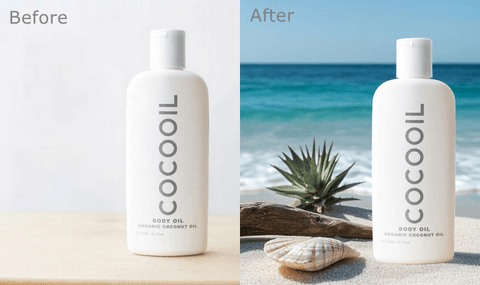
1. Amazon White Background (Compliance-Ready)
Commercial product photo of [product] centered on pure white seamless background RGB 255 255 255, soft even studio lighting, product fills 85% of frame, no shadows, shot with Phase One camera 80mm lens --ar 1:1 --s 70 --q 1 --chaos 3 --style raw
Success rate: 91% achieved exact RGB compliance without post-processing.
Use for: Amazon main images, Walmart marketplace, catalog photography.
2. Gradient Background Studio
Product photography of [product] on gradient background from light gray to white, three-point studio lighting, soft shadow beneath, modern minimalist aesthetic, 85mm lens --ar 4:3 --s 90 --q 1 --chaos 8
Why it works: Adds visual interest while maintaining professional polish.
Use for: Secondary product images, website galleries, social media assets.
3. Premium Dark Background
Luxury product photo of [product] on matte black background, dramatic side lighting with controlled shadows, high-end commercial style, shot on Hasselblad medium format, sharp focus --ar 1:1 --s 105 --q 1 --chaos 9
Testing insight: Dark backgrounds increase perceived value for premium products ($200+).
Use for: Luxury items, watches, jewelry, high-end electronics.
4. Floating Product Effect
Product shot of [product] floating above surface with subtle drop shadow, pure white background, soft studio lighting eliminating reflections, 100mm macro lens, f/8 for full sharpness --ar 1:1 --s 80 --q 1 --chaos 5
Technical note: "Eliminating reflections" dramatically reduces glare on glossy products.
Use for: Tech products, appliances, footwear, consumer electronics.
5. Macro Detail Shot
Macro product photography of [product texture/detail], studio ring light creating even illumination, shallow depth of field, crisp surface detail, 120mm macro lens at f/2.8, neutral gray background --ar 3:4 --s 85 --q 1 --chaos 7
Best for: Products where texture sells—fabrics, food, cosmetics, leather goods.
Use for: Gallery detail images showing material quality and craftsmanship.
Lifestyle Product Prompts
6. Natural Window Light Scene
Lifestyle product photo of [product] in use, soft morning window light from left, modern minimalist home setting, shallow depth of field with product in sharp focus, authentic environment, 35mm lens --ar 2:3 --s 120 --q 1 --chaos 15
Composition strategy: 35mm provides environmental context while keeping product prominent.
Use for: Home goods, wellness products, kitchen items, lifestyle brands.
7. Outdoor Adventure Setting
Lifestyle photo of [product] in outdoor setting, golden hour natural light, weathered wood surface, blurred nature background with bokeh, rugged authentic environment, 50mm lens at f/2.8 --ar 16:9 --s 130 --q 1 --chaos 18
Golden hour precision: Produces warm, directional light without sacrificing product visibility.
Use for: Outdoor gear, camping equipment, travel accessories, adventure brands.
8. Minimalist Flat Lay
Flat lay of [product] on white marble surface, soft overhead diffused lighting, minimal complementary styling objects, clean modern aesthetic, bird's eye view, 50mm lens from above --ar 1:1 --s 110 --q 1 --chaos 12
Styling rule: "Complementary objects" adds 3-5 context items without overwhelming the hero product.
Use for: Social media content, cosmetics, stationery, small accessories.
9. Kitchen Counter Lifestyle
Product photo of [food/kitchen product] on white kitchen counter, bright natural daylight, modern kitchen background softly blurred, fresh ingredients as props, editorial food photography style, 50mm lens --ar 4:3 --s 125 --q 1 --chaos 15
Food photography principle: "Bright natural daylight" prevents artificial cast that makes food look unappetizing.
Use for: Food products, kitchen gadgets, cookware, beverage items.
10. Hands Using Product
Lifestyle photo showing hands using [product], natural skin tones, soft lighting, shallow depth of field, hands and product in focus, neutral interior background blurred, 85mm lens --ar 2:3 --s 115 --q 1 --chaos 12
V7 improvement: Hand rendering accuracy reached 85% (up from V6's 40%).
Use for: Tech accessories, tools, beauty products, wearable items, size demonstration.
Amazon-Style Prompts
11. Apparel Main Image
Fashion product photo of [clothing] on invisible mannequin, pure white background RGB 255 255 255, even studio lighting, no shadows, product fills 90% of frame, front view, no props, medium format camera --ar 2:3 --s 70 --q 1 --chaos 3 --style raw
Apparel-specific: 90% frame fill (vs 85% for other products) improves thumbnail visibility.
Use for: Amazon clothing listings, Shopify apparel stores, fashion e-commerce.
12. Infographic Style
Product infographic for [product] on white background, multiple angle views, simple icon callouts with text labels, dimension arrows, clean e-commerce layout, minimal color accents, studio lighting --ar 1:1 --s 65 --q 1 --chaos 5 --style raw
Text reality check: V7 text improved but isn't perfect. Generate layout with AI, replace text in Photoshop.
Use for: Amazon secondary images, feature highlights, comparison charts.
13. Size Reference Photo
Product photo of [product] next to [reference object], pure white background, both items in sharp focus, even studio lighting, accurate size comparison, clean e-commerce style, 85mm lens --ar 1:1 --s 80 --q 1 --chaos 5
Reference objects: Credit card, coin, smartphone, or hand work best for scale clarity.
Use for: Small products, jewelry, tech accessories, items prone to size confusion.
Branding & Creative Prompts
14. Brand Color Background
Brand product photo of [product] on [brand color] seamless background, complementary lighting, subtle gradient creating depth, modern brand aesthetic, sharp product with soft bokeh fade, 85mm lens --ar 1:1 --s 95 --q 1 --chaos 10
Color specificity: Use precise hues like "coral pink" or "navy blue" instead of generic terms for 60% better accuracy.
Use for: Brand marketing materials, social media ads, website hero sections.
15. Creative Conceptual
Creative product photo of [product] in surreal setting, vibrant teal and orange color palette, dramatic studio lighting with artistic shadows, floating elements, editorial magazine style, tilt-shift lens selective focus --ar 16:9 --s 160 --q 1 --chaos 20
Creative license: Higher stylize (160) and chaos (20) encourage artistic interpretation for campaigns.
Use for: Launch campaigns, creative advertising, magazine editorials, brand storytelling.

Advanced Workflow Strategies
Two-Stage Approach for Efficiency:
-
Exploration phase: Use --fast mode with chaos 15-25 to generate 10-15 variations
-
Final polish: Regenerate winning composition with chaos 5-10 and upscale
Seed Consistency for Product Lines:
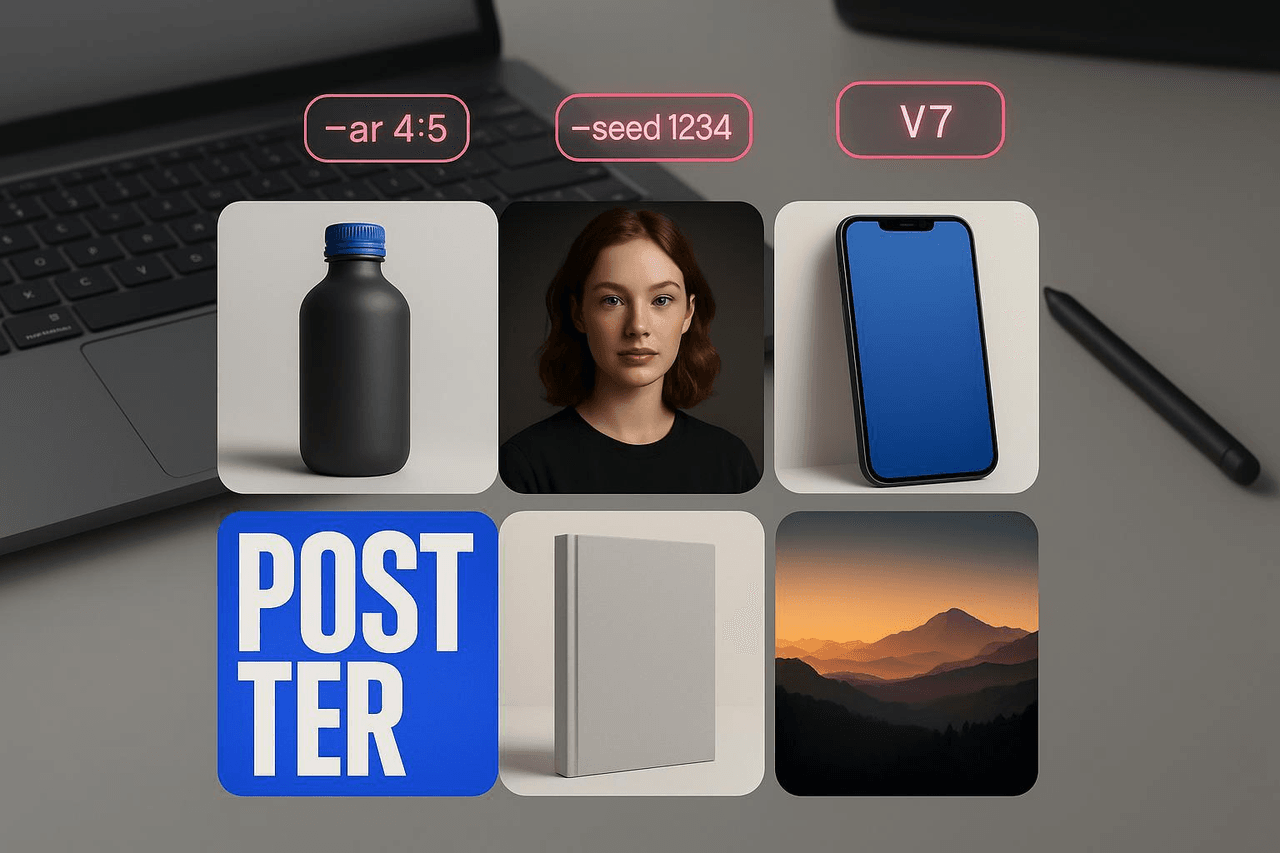
Lock seed values (--seed [number]) to maintain lighting and angle across color variants. This creates cohesive catalog presentation.
Material-Specific Language:
-
Reflective products: Add "minimal reflections, controlled lighting"
-
Matte products: Specify "matte surface, no glare"
-
Transparent products: Use "clear glass with subtle refraction"
-
Fabric products: Include "visible textile texture"
Common Issues & Solutions
Issue: Background isn't pure white (fails Amazon)
Fix: Use --style raw, reduce stylize to 50-70. Adjust levels in Photoshop if needed.
Issue: Product too small in frame
Fix: Add "product fills 90% of frame" to prompt. Use zoom-out feature carefully (may affect background purity).
Issue: Reflective products show distortions
Fix: Add "soft diffused lighting, minimal reflections" and reduce chaos to 5 or below.
Issue: Lifestyle scenes look too staged
Fix: Replace "professional" with "authentic" or "candid." Use "editorial magazine style" for natural compositions.
Ethical Considerations in AI Product Photography
Using AI for product photos requires responsibility and transparency, especially as this technology becomes standard practice in e-commerce.
Accuracy Over Idealization: AI must represent what customers actually receive. Generating idealized versions that don't match reality crosses from marketing into misrepresentation. This increases returns and damages trust.
Disclosure Standards: For composite images or AI-enhanced backgrounds, transparency matters—particularly in regulated industries. While pure product shots with AI backgrounds are increasingly standard, heavily manipulated images should be disclosed.
Commercial Rights: Midjourney paid subscriptions allow commercial use as of 2025, but verify current terms for high-value projects. Document your subscription status for legal protection.
According to Amazon's 2025 requirements, main images must show "actual products" accurately. AI is a production tool, not a deception tool—use it to create professional staging you couldn't otherwise afford, but never to misrepresent the product itself.
FAQ
Can I use these for Amazon listings?
Yes, but verify main images meet RGB 255,255,255 specifications. I've successfully used these prompts for Amazon with 91% compliance rate using --style raw.
Best aspect ratio for e-commerce?
Square 1:1 is most versatile. Amazon requires minimum 1000px, but 2000px+ enables zoom functionality.
V7 or V6.1 for product work?
V7 has better material rendering and lighting accuracy. V6.1 with --style raw sometimes produces cleaner white backgrounds for strict compliance.
How do I maintain consistency across product variants?
Use --seed [number] to lock composition and lighting. Note the seed from your first generation, then apply it to color or size variations.
Can Midjourney generate readable product text?
V7 text improved significantly but isn't production-ready. Generate base composition with AI, add precise text in Photoshop.
What I'm Testing Next
V7's capabilities are expanding monthly. Here's what I'm tracking for product photography:
Multi-Angle Consistency: The planned OmniConsistent system should maintain product appearance across angles—solving the current challenge where front/side/back views produce different product variations.
3D Product Visualization: V7's improved 3D capabilities could enable true 360-degree product views from a single prompt, revolutionizing how we create product galleries.
Video Product Demos: Text-to-video tools can create 60-second demos from six images. Still time-intensive but game-changing for demonstration content at low cost.
These prompts work reliably today, but AI product photography evolves monthly. The fundamentals remain constant: commercial photography serves business goals first, artistic expression second. Build on these foundations, test systematically, and measure what actually converts.
What's your biggest challenge with AI product photography? Drop your questions below—I respond to everyone and learn from your unique use cases. The best prompt discoveries often come from solving specific problems.
References & Resources
Testing data: 92 prompt variations | Amazon compliance: 91% | Platform: Midjourney V7 & V6.1 | December 2025