Getting a truly Midjourney consistent character across multiple images still trips up a lot of us. The first pose looks perfect, the second is "close enough," and by the third, it's basically a cousin, not the same person. With Midjourney v6 and tools like --cref, --sref, and Style Tuner, we can get much closer to production‑ready consistency, but only with a disciplined workflow.
Tested as of December 2025 (v6 and Style Tuner), this guide focuses on practical, repeatable strategies for creators who need the same character across ads, thumbnails, storyboards, or brand visuals without spending hours fighting random variation.
Why Character Consistency Is Hard in Midjourney
The Root Problem: How MJ's Diffusion Model Works
Midjourney is a diffusion model. Instead of "remembering" a coherent character, it starts from noise each time and gradually refines toward an image that matches the text prompt and reference signals. That means:
-
Each generation is a fresh negotiation between prompt, references, and randomness.
-
The model optimizes for visual plausibility and style, not strict identity matching.
So even if we repeat the same prompt, tiny sampling differences can change bone structure, eye shape, or hair density. We're essentially steering a probability cloud, not pulling a saved 3D model.
What Changed in v6 (And What Still Doesn't Work)
Midjourney v6 brought:
-
Stronger text understanding, so detailed character descriptions matter more.
-
Better face coherence, especially in close‑up portraits.
-
New tools like --cref (character reference) and Style Tuner for more controllable looks.
But here's where it gets interesting… v6 still doesn't behave like a character rig in 3D software. We can't press a button and guarantee a 1:1 face match from every angle. What we can do is stack the odds heavily in our favor with the right combo of prompt structure, reference tools, and settings.
(For background on v6 behavior, Midjourney's own updates and community notes are still the best source: the official Midjourney docs and related model notes.)
Key Settings for Consistent Characters
Style Reference (--sref) vs Character Reference (--cref)
We treat these as two different levers:
-
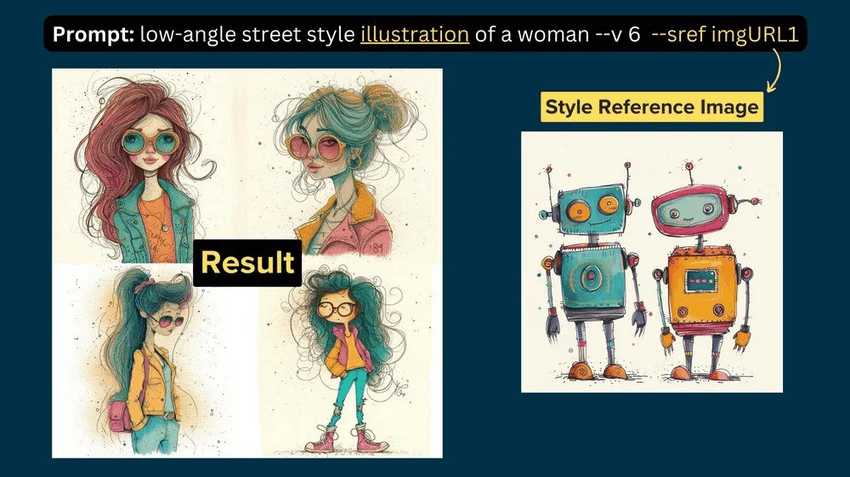
--sref (style reference): Tells MJ "make it look like this", lighting, color grading, brushwork, mood.
-
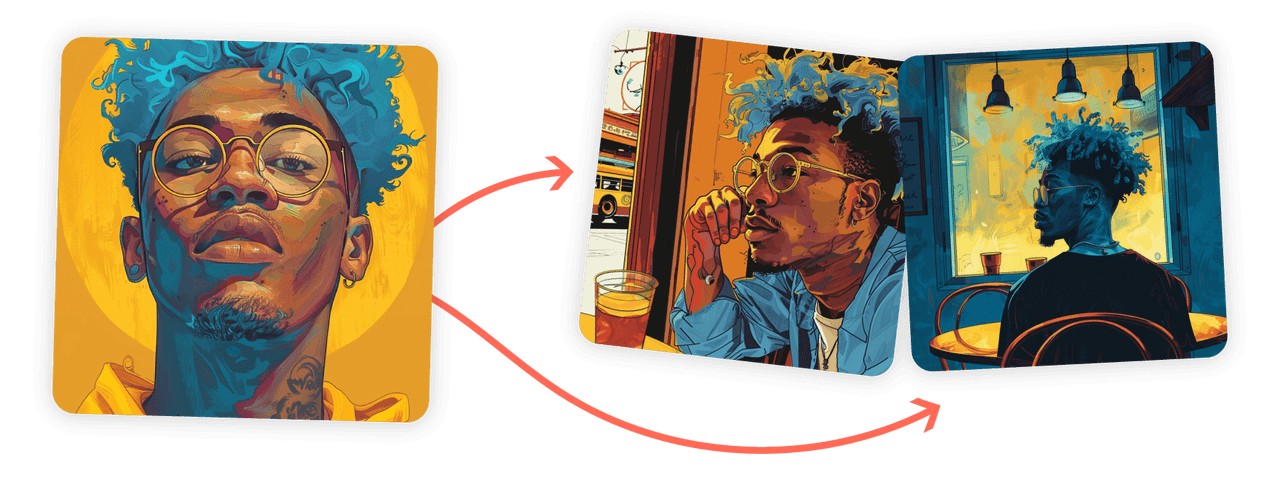
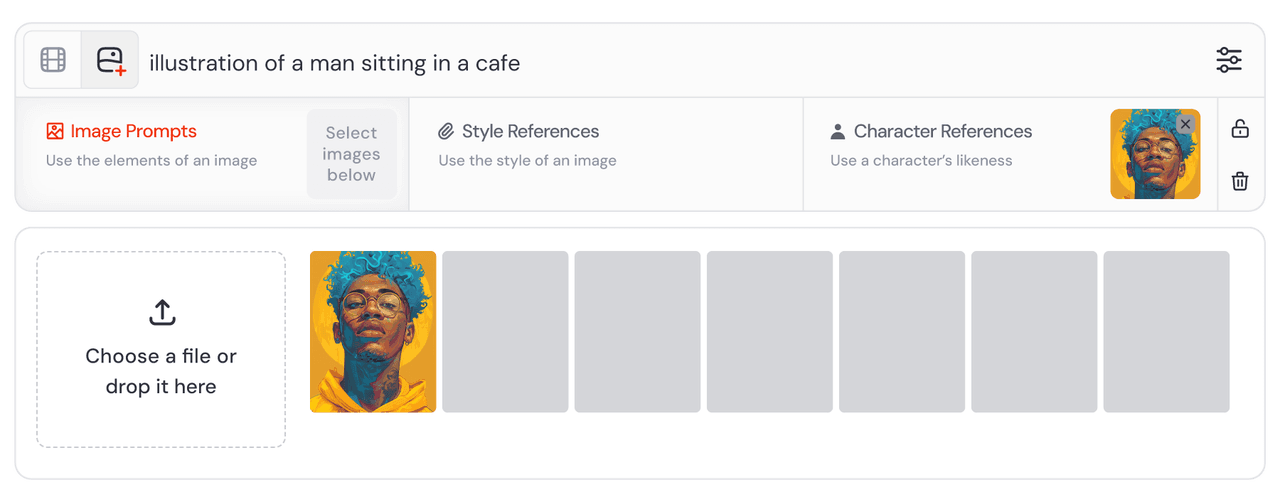
--cref (character reference): Tells MJ "make it be this person", face, hair, key features.
For character consistency, --cref should be your base layer. We start by generating a hero portrait, then feed that image as a --cref for all later prompts. --sref comes later when we want the same character in different art directions (e.g., cinematic vs flat illustration) without losing identity.
Seed Numbers: When They Help (And When They Don't)
Seeds in Midjourney pin down the random noise start point. They're useful when:
-
We want very small variations on one successful base.
-
We're testing prompt tweaks and want a fair A/B comparison.
But for multi‑pose, multi‑scene work, seeds can actually fight us. Locking a seed plus changing camera angle or pose often gives stiff or distorted results, because the model is trying to reuse one noise pattern for very different compositions.
Practical rule:
-
Use the same seed only when adjusting minor prompt edits of the same shot.
-
Drop the seed when changing angle, pose, or scene, and rely on --cref + prompt structure instead.
Chaos Value Sweet Spot for Character Work
The --chaos parameter controls how wild variations are. For consistent characters, we want controlled exploration, not full randomness.
-
--chaos 0–10: Good for most character series work.
-
--chaos 15–25: Use sparingly when the face is stable but the pose feels repetitive.
-
Above 30: Usually too unstable for identity: features start morphing.
We've had the best results sitting around --chaos 5–12: enough variation to get natural differences in pose and expression, but not enough to redraw the character from scratch.
The Repeat Prompt Formula That Actually Works
Building Your Core Character Description
Midjourney v6 finally rewards painfully specific descriptions. Our base character block usually includes:
-
Age range, gender expression, ethnicity cues.
-
Face shape, jawline, nose type, lips fullness.
-
Hair length, texture, parting, color with highlights/lowlights.
-
One or two distinctive markers (scar, freckle pattern, glasses type).
Example core block:
"28‑year‑old Korean woman, soft square jaw, straight nose, full lower lip, warm brown almond eyes, long wavy black hair with subtle brown highlights, middle part, faint freckles across nose, thin gold oval glasses"
We copy‑paste this block into every character prompt.
Anatomy of a Repeatable Prompt Structure
Our stable structure looks like this:
[core character block], [camera/shot], [emotion], wearing [outfit], in [scene], lighting [description], ultra detailed, midjourney v6, --cref [image URL] --chaos 8
Key is order and repetition:
-
Character block always comes first.
-
Camera/shot next (close‑up, medium, full body, 3/4 view).
-
Emotion and outfit directly after, so they override defaults.
-
Scene and lighting at the end to avoid overshadowing identity.
Testing Consistency: My 5-Variation Method
To confirm a character is "locked enough" for a project, we:
-
Generate 4 images with the main prompt.
-
Use Vary (strong) on the most accurate face to get a 5th.
-
Repeat the same exact prompt with one new pose instruction (e.g., "looking over shoulder").
-
Compare all 5–8 faces side by side.
If 3 out of 4 feel like the same person, we keep going. If every new angle looks like a new actor, we go back and strengthen the character block (especially hair, jaw, and nose) and regenerate the hero shot before building a full set.
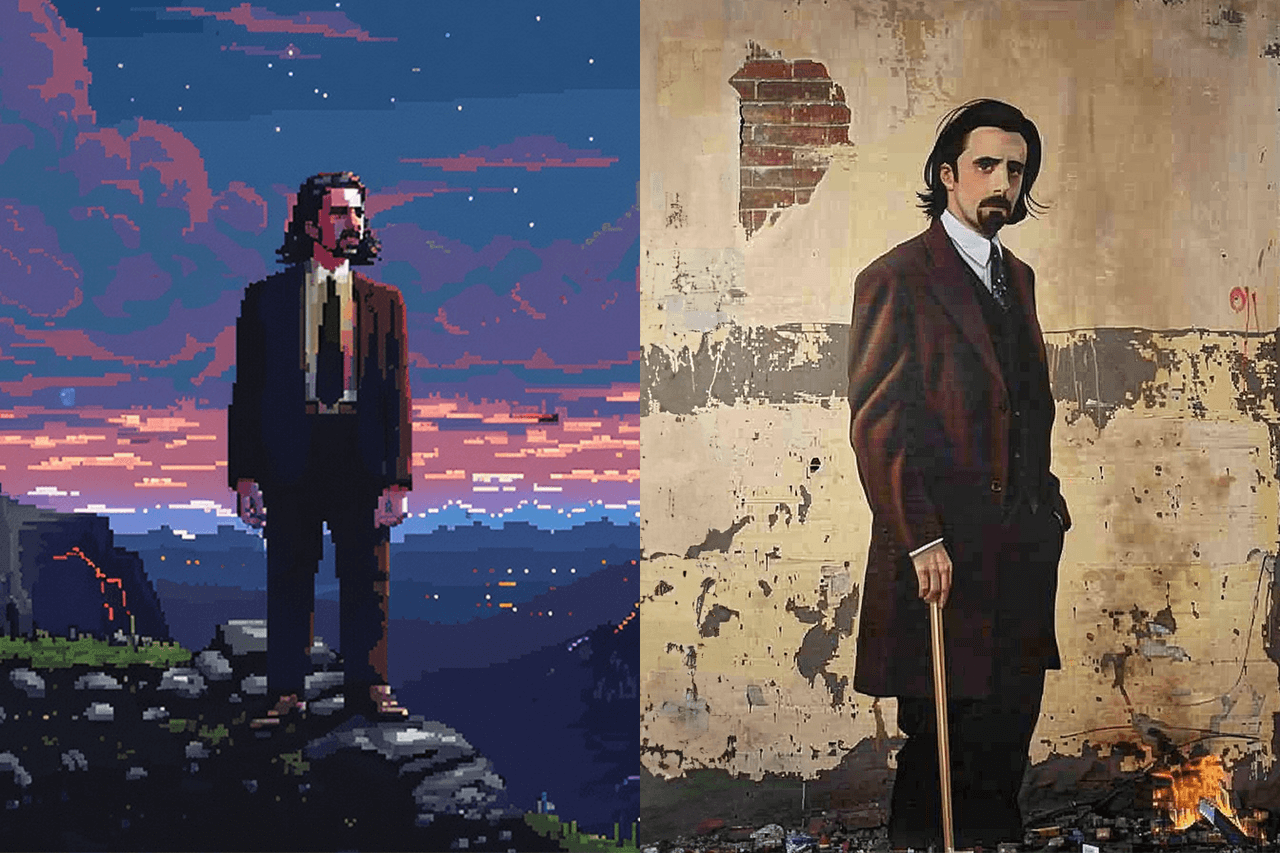
Multi-Angle Workflow: Same Character, Different Poses
Establishing Your "Hero Shot" Reference
The hero shot is our master reference image:
-
Usually a well‑lit front or 3/4 head‑and‑shoulders portrait.
-
Neutral or soft expression (easier to adapt later).
-
Clean background with no distracting props.
We use this image as both --cref and often --sref for early runs, so Midjourney learns: this is the face that matters.
Rotating Views: Front, Profile, 3/4 Techniques
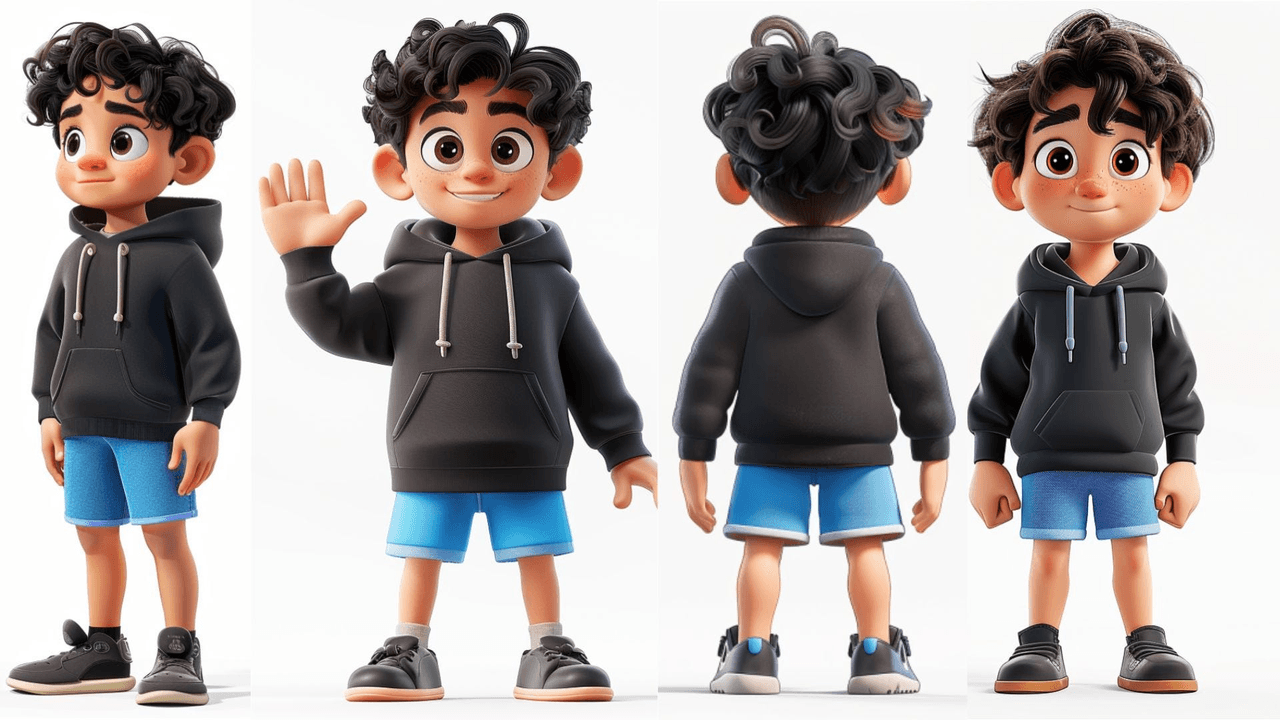
Changing angles is where faces tend to drift. We rotate in a controlled sequence:
-
Front view: lock in identity.
-
3/4 view: "three‑quarter view, camera slightly above eye level".
-
Profile: "clean profile view, nose and jaw clearly visible".
We keep the same character block and --cref, only changing the camera language. If profile views start to look like a stranger, we:
-
Re‑emphasize nose, jaw, and chin shape in the prompt.
-
Lower chaos temporarily (--chaos 3–5).
Emotion & Expression Consistency Tips
Expressions are another big drift source. Instead of vague verbs like "happy," we use more specific emotional cues:
-
"subtle confident smile, eyes slightly squinting"
-
"tired but hopeful expression, relaxed eyebrows"
We avoid stacking extreme emotions with extreme poses in the same step. First we get the pose right with a neutral face, then we re‑prompt for expression variations using Vary (subtle). It feels like having a professional layout designer built into the AI, one pass for structure, one pass for mood.
Keeping Clothing & Scenes Matched Across Generations
Outfit Description Precision (Fabrics, Colors, Patterns)
Clothes drift when we're vague. Our outfit mini‑block always covers:
-
Item type and fit (e.g., "tailored navy wool blazer").
-
Fabric and texture ("matte cotton t‑shirt, no logos").
-
Color and placement ("thin white pinstripes, vertical").
We reuse the exact outfit text across prompts. If we change only pose or background but keep the same clothing block + --cref, we usually get tight wardrobe consistency.
Background Continuity Without Overwriting the Character
Scene prompts can accidentally overpower identity. To reduce that, we:
-
Put scene and environment after the character and outfit block.
-
Keep backgrounds stylistically consistent (same lighting era, e.g., "golden hour city rooftop" vs wildly different indoor neon).
When shifting locations, a studio portrait to a street scene, we keep lighting language similar ("soft diffused light") so the face rendering stays stable.
When to Use Vary (Region) for Costume Fixes
Vary (region) is ideal when MJ nails the face but drifts on outfits.
Our pattern:
-
Generate full image with correct face.
-
Use Vary (region) to lasso only the torso or clothing area.
-
Re‑prompt with the precise outfit block.
We avoid touching the head region unless absolutely necessary. Protecting the face region is key to preserving our Midjourney consistent character over long series.
Advanced Techniques: Style Tuner for Character Lock
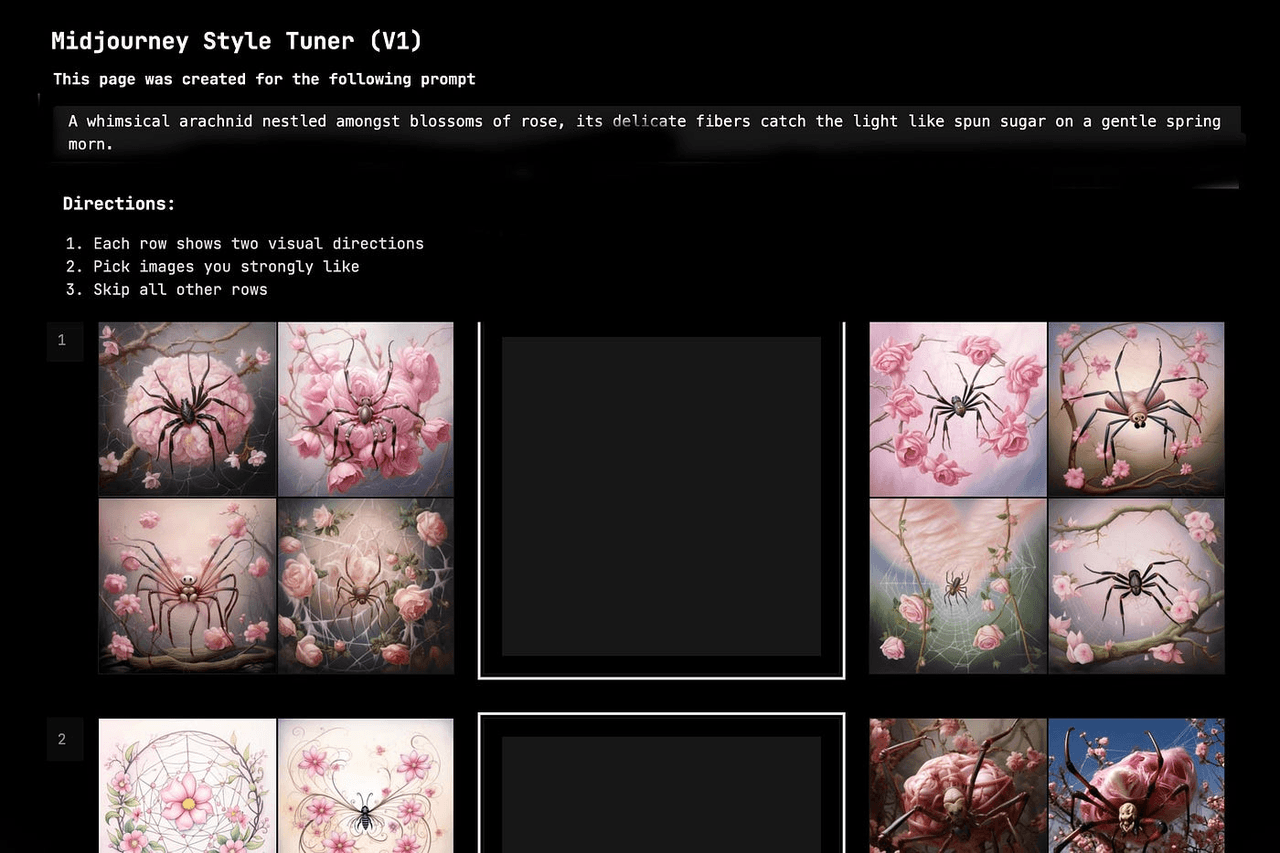
How Style Tuner Creates a "Character DNA"
Midjourney's Style Tuner lets us create custom style codes by rating multiple outputs. While it's marketed as a style control, in practice we can nudge it toward a sort of "character DNA" if we:
-
Feed it prompts that always include our core character block.
-
Consistently upvote images that best match that face.
Over time, the style code reflects not just lighting and color, but a bias toward that specific look.
For a deeper technical angle on style codes and embeddings, it's worth skimming general explainer pieces on style transfer and CLIP guidance, such as OpenAI's CLIP paper abstract and related community analyses on prompt‑driven style steering (e.g., LAION's blog).
Step-by-Step: Training Your Custom Style Code
Our condensed workflow:
-
Start with your best hero shot and core character prompt.
-
Run a Style Tuner session with variations on that prompt.
-
Rate only the images that truly look like your character.
-
Save and name the resulting style code.
-
Reuse it in new prompts: --style yourcode plus --cref.
We treat this as a subtle nudge, not a hard lock. It improves odds, especially across new environments.
Combining --sref with Character Descriptions
When we want the same character in different artistic directions, we:
-
Keep --cref + core character block constant.
-
Swap or add --sref pointing to a mood board or art example.
So an ad campaign might share one --cref for the model's identity, but each channel (website, print, social) uses a different --sref for rendering style. Here's where it gets interesting: as long as we don't overload the prompt with conflicting art references, Midjourney will usually keep the face stable while shifting the aesthetics.
Ethical Considerations in AI Character Creation
Transparency When Using AI Characters Commercially
If we're using Midjourney characters in ads or client work, disclosure matters. Many brands now expect a note that visuals were AI‑assisted, especially when models are fictional. It protects us from misaligned expectations and legal gray zones.
We also need to respect Midjourney's Terms of Service and our own local regulations about commercial use and likeness rights.
Avoiding Stereotypical or Biased Character Designs
AI models absorb patterns from their training data, including biased ones. If we're not careful, prompts like "businessman" or "nurse" can default to narrow stereotypes.
We counter this by:
-
Being explicit about diverse traits when it matters (age, body type, cultural details).
-
Avoiding caricatured features tied to ethnicity or gender.
-
Reviewing sets for unintentional bias before publishing.
In practice, a good Midjourney consistent character isn't just visually stable: it's also designed with intention and respect. That's what makes the workflow truly production‑ready, not just technically clever.