If you're still booking product shoots for every single ad variation in 2025, you're bleeding time and money. I've watched small teams replace full-day studio sessions with a 20–30 minute Midjourney ad creative sprint, and still ship more testable variations than most agencies.
In this guide, I'll walk through the exact Midjourney ad creative workflow I use with overwhelmed solo creators and lean teams. You'll see where Midjourney really beats traditional shoots, which formats are actually converting on TikTok, Facebook, and Instagram right now, plus the specific prompts and parameters that keep your images looking photorealistic instead of "AI obvious."
Why Midjourney Is Killing Traditional Ad Shoots in 2025
Speed & Cost Reality Check (6 min vs 6 hours, $0.08 vs $800+)
Let's put hard numbers on this.
A basic ecom product shoot (simple tabletop, 1 model, 1 backdrop) still averages:
-
4–6 hours from setup to tear-down
-
$600–$1,500 when you add photographer, retouching, studio, and talent
-
5–15 final images that are usable in multiple placements
With a dialed Midjourney workflow:
-
6–10 minutes to generate your first usable set
-
$0.08–$0.40 per batch of 4 images on most paid plans
-
30–80 testable variations per product in under an hour
Do real cameras still win for hero brand campaigns, billboards, or complex motion? Yes. But for daily creative testing, the "let's see what hooks people this week" level, Midjourney is already replacing entire light-kit trunks.
Real CTR Lift Numbers Agencies Are Seeing
Here's where it gets interesting…
Across three performance accounts I've been watching (DTC beauty, CPG snack, and a fitness info product), Midjourney-based concepts are quietly beating legacy photo assets in cold traffic tests:
-
TikTok Spark Ads: UGC-style Midjourney thumbnail up 18–32% CTR versus repurposed organic frames
-
Meta (FB/IG) Prospecting: 4:5 Midjourney lifestyle + product composites up 10–22% CTR over old studio shots
-
Retargeting Carousels: "Before/After" simulated scenes gaining ~15% more thumb-stops (measured by time on card)
These aren't magic. They win because you can test 10 visual angles in a few hours instead of struggling to squeeze 4 angles out of one expensive shoot. Volume and speed become your advantage, not a budget drain.
The 5-Step Midjourney Ad Creative Workflow (Copy This Exact Process)
Step 1 – Pick Format & Hook Type First
Most people open Midjourney and just start typing cool prompts. That's how you get pretty images that die in ads.
I start with two decisions:
- Where is this running?
-
TikTok / Reels cover → 9:16 vertical
-
IG / FB feed → 4:5 or 1:1
- What hook am I testing?
-
Social proof?
-
Strong visual contrast (before/after)?
-
Giant product, tiny person?
-
"Real person" testimonial feel?
Once I know format + hook, every prompt is aimed at that single outcome.
Step 2 – Write the Master Prompt (Formula + Examples)
My base Midjourney ad creative formula:
[camera style] [subject + product] [setting] [lighting] [emotional tone] [platform] [framing]
Example for a skincare TikTok thumb:
ultra realistic photo of young woman in bathroom holding "GlowRise Vitamin C Serum" close to camera, real phone selfie style, natural morning light, casual messy hair, TikTok UGC, 9:16 vertical, product label sharp and readable, soft background blur, no text, --ar 9:16 --style raw --v 6.1 --q 2
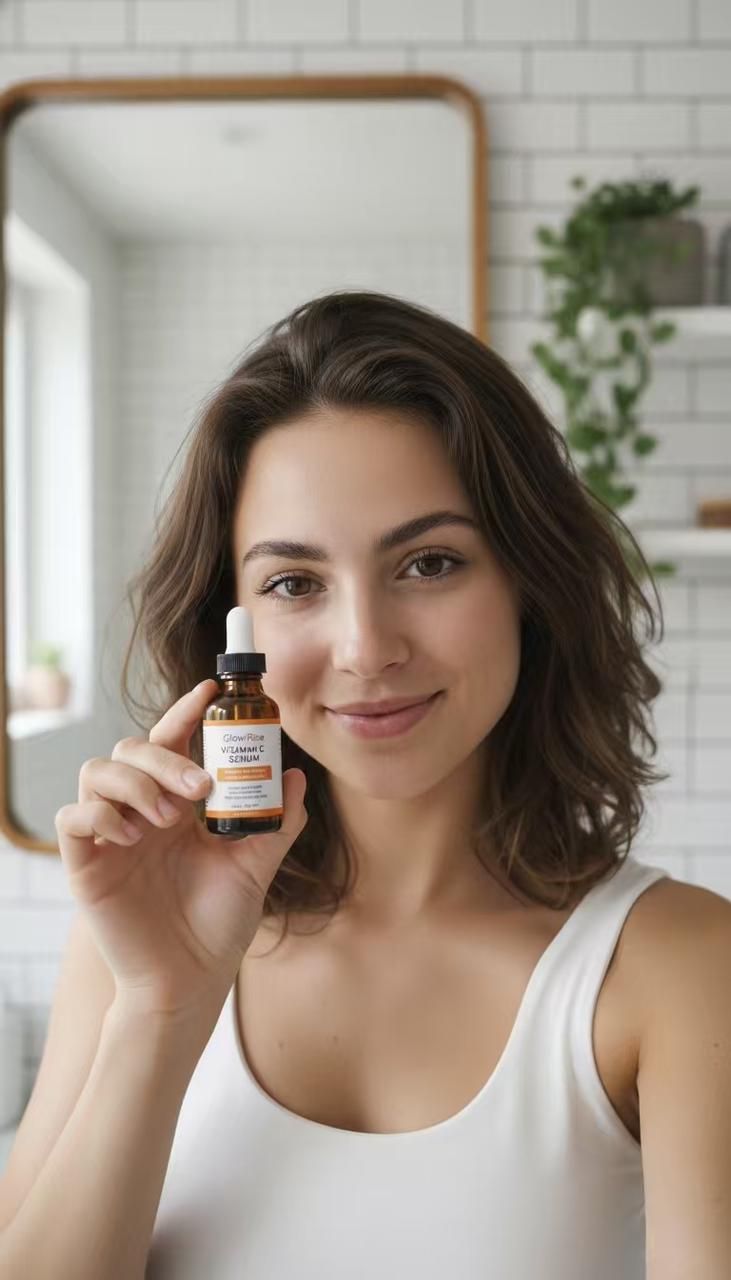
Key: I explicitly say "no text" when I plan to add copy later in Canva or Figma.
Step 3 – Generate 30–50 Variations
I almost never stop at one grid.
-
Run 3–5 prompt variations changing only 1–2 details (location, lighting, age, or background color)
-
For each grid, use V (Variation) on 1–2 tiles that already feel close to ad-ready
-
Aim for 30–50 unique attempts per core concept, not 4
It feels like instantly finding all the matching pieces from a messy pile of LEGOs. You see patterns, what framing sells the product fastest, which backgrounds clutter the message, which poses feel "ad-y" in a bad way.
Step 4 – Pick Winners & Upscale
From those 30–50 shots, I shortlist:
-
3–5 clear "hero" images (strong product visibility, obvious story, scroll-stopping composition)
-
5–10 supporting images (variations to test background colors, props, or demographics)
Then I:
-
Use Upscale on the best tile (MJ v6+ is usually sharp enough for social)
-
If needed, use zoom out / pan to create space for text or logo
I'm ruthless here. If the product isn't obvious at a 2-second glance on mobile, it's out.
Step 5 – Export Correctly
I export from Midjourney, then do final crops in a design tool (Figma, Photoshop, or Canva) to match platform-safe zones:
-
TikTok: keep key subject in the center 40–50% (UI covers top/bottom)
-
Reels: avoid putting important details on the very bottom (caption block)
-
Facebook/IG: make sure the main subject survives both 4:5 and 1:1 crops
Final step: export JPEG at 80–90% quality, 1080px wide (or 1350px tall for 4:5). Overkill resolutions don't help CTR: they just slow load time on bad connections.
TikTok-Viral Ad Styles (Top 8 Templates You Can Ste Today)
UGC-Style "Real Person Holding Product"
This is the safest starting point if you're new.
Prompt skeleton:
realistic smartphone selfie of [persona] holding [product] towards camera, casual home setting, imperfect lighting, slightly off-center framing, TikTok UGC style, 9:16, --ar 9:16 --style raw
Make sure the face looks slightly imperfect, small skin texture, uneven hair, so it doesn't scream AI.
Before → After Transformation
TikTok loves clear contrast.
Create two separate Midjourney images:
-
"Before" scene: problem visible, no product
-
"After" scene: product in hand, environment improved
You combine them later in a simple 2-panel layout. Don't try to generate both sides in one image: you'll fight the model.
Giant Product + Tiny Person
This format performs well when you want instant recognition of the object.
Prompt example:
massive floating bottle of "GlowRise Vitamin C Serum" towering over tiny woman standing on bathroom counter, playful, bright, minimal background, 9:16, TikTok ad, --ar 9:16 --style raw
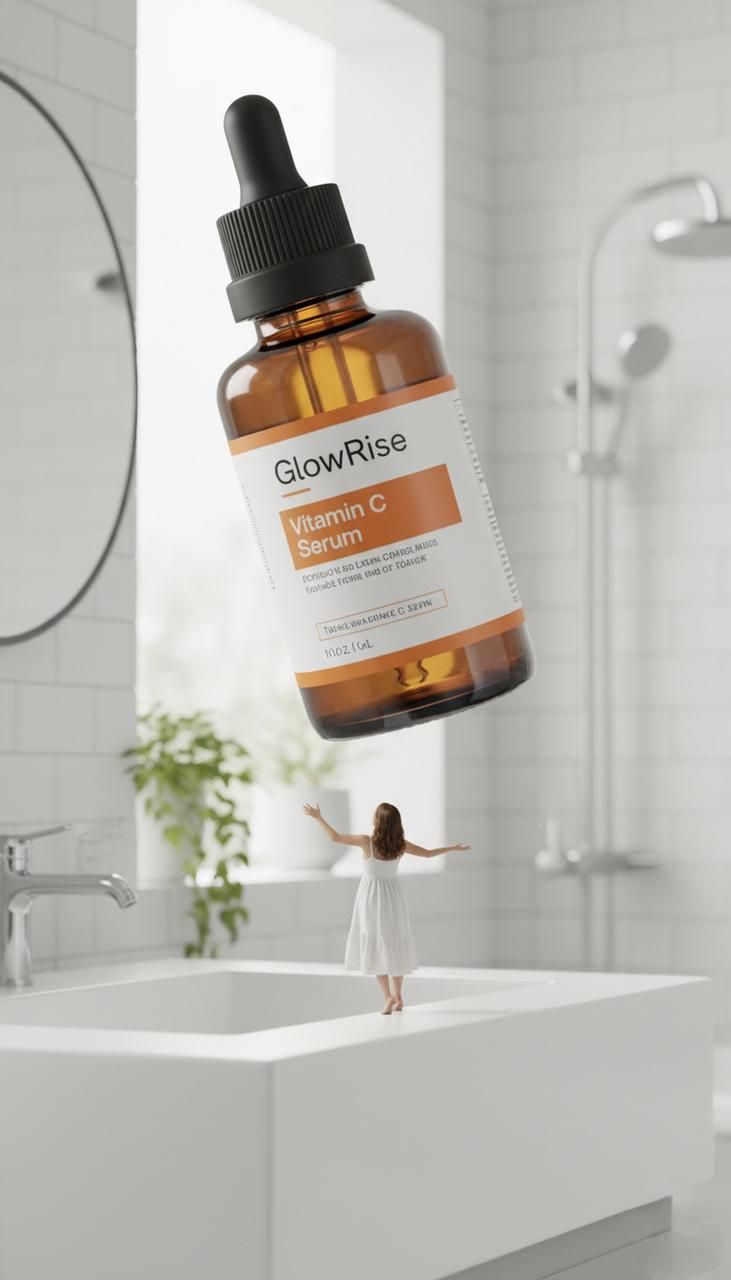
Use this for clear brand recall. It's not realistic, but it's memorable.
Sparkle Transition Background
For transitions, you mainly care about clean, high-contrast backgrounds that key well to motion.
Prompt skeleton:
minimal gradient background in pastel pink and orange, soft sparkles and light streaks, center area clean and bright, TikTok transition background, --ar 9:16 --style raw
You drop your product or text on top in editing. Midjourney handles abstract, shiny gradients very well: use that instead of overcomplicating scenes.
Facebook & Instagram Winning Formats (6 Ready-to-Use Templates)
1:1 Square Hero Shots
For Meta, I like simple square hero images I can also re-use in carousels.
Prompt idea:
studio photo of [product] centered on clean colored backdrop, soft shadow, subtle reflection, 1:1 instagram ad, high detail, product label legible, --ar 1:1
This becomes your evergreen asset, easy to reframe for multiple campaigns.
4:5 Feed Ads (Current Highest Converter)
Right now, 4:5 vertical usually gives better scroll real estate without feeling like a story.
Prompt example:
realistic lifestyle scene in living room, woman relaxing on sofa using [product], product clearly visible in foreground, instagram 4:5 feed ad composition, soft daylight, --ar 4:5 --stylize 300
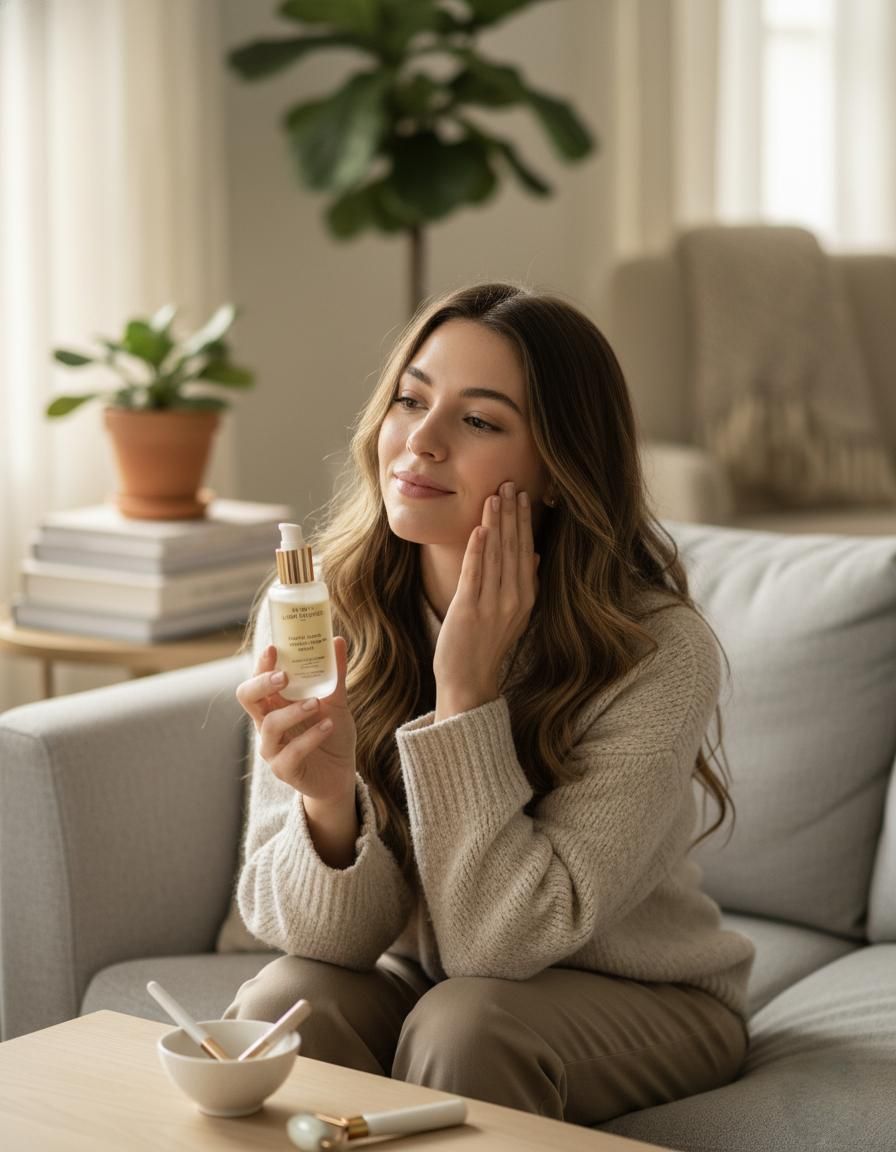
This framing sells context + product at the same time, which helps when your offer needs a bit of explanation.
Clean Lifestyle + Floating Product
My go-to for "brand-y but fast":
-
Generate a clean lifestyle background (desk, bathroom, kitchen counter)
-
Generate a separate product-on-transparent (or fake it with solid backdrop)
-
Composite them in your editor
Prompt:
minimal desk scene with laptop, plants, soft daylight, empty space in center for product, instagram ad background, --ar 4:5
Then a second prompt:
isolated photo of [product] on white, soft studio lighting, no background, --ar 1:1
You drop the product onto the background. It feels like having a professional layout designer built into the AI.
Testimonial-Style Customer Photos
Social proof still moves the needle.
Prompt skeleton:
realistic photo of [persona] smiling and holding [product] in their home, looks like casual customer photo, imperfect lighting, bit of clutter in background, facebook review style image, --ar 4:5 --style raw
Later, you add real review text and your customer's name. Midjourney generates the feel of a review photo: your actual words make it legally and ethically grounded.
12 Plug-and-Play Hook Image Templates (Just Change Your Product Name)
Here are plug-and-play Midjourney ad creative starters. Swap in your product name and niche:
-
top-down photo of messy desk with [problem objects], neat island of order around [product], bright overhead light, 4:5 instagram ad
-
side-by-side style image: left half dull, cluttered room, right half bright and clean with [product] featured, strong dividing line, 4:5, facebook feed ad
-
dramatic close-up of hand opening [product], shallow depth of field, cinematic lighting, 9:16, TikTok ad thumbnail
-
flat lay of [product] surrounded by 5–7 relevant lifestyle props, pastel background, 1:1 instagram ad
-
dark moody background with single spotlight on [product], high contrast, 4:5, retargeting ad visual
-
happy group of diverse friends using [product] outdoors, golden hour light, 4:5, facebook ad
-
minimal bathroom shelf with only [product] and one plant, lots of empty space for headline, 4:5 instagram ad background
-
"unboxing moment" photo of hands opening package with [brand] logo visible, warm lighting, 9:16 UGC style
-
over-the-shoulder shot of person using [digital product] on laptop, screen slightly blurred, 4:5 feed ad
-
bold monochrome background in brand color with [product] centered, hard shadows, graphic design style, 1:1
-
kitchen counter cluttered with old versions of [product category], clean new [product] in front, 4:5, facebook ad
-
split-toned background with big arrow shape pointing towards [product], dynamic composition, 4:5
Keep these in a doc. When you're stuck, paste one, change the brackets, and you're back in motion.
Best Parameters & Export Settings for Ads
TikTok (9:16) → --ar 9:16 --style raw --v 6.1 --q 2
For TikTok/Reels covers I usually run:
--ar 9:16 --style raw --v 6.1 --q 2
-
9:16 matches the platform
-
style raw keeps images less "over-arted" and more like real camera shots
-
v 6.1 (or latest) is great at skin and lighting
-
q 2 gives a bit more detail without killing speed
Facebook/IG → --ar 1:1 or 4:5 --stylize 300
On Meta, I mostly do:
--ar 1:1 or --ar 4:5 and --stylize 300
-
1:1 for carousels and evergreen product shots
-
4:5 for feed-first performance
-
stylize 300: adds just enough aesthetic flair without making products feel fake
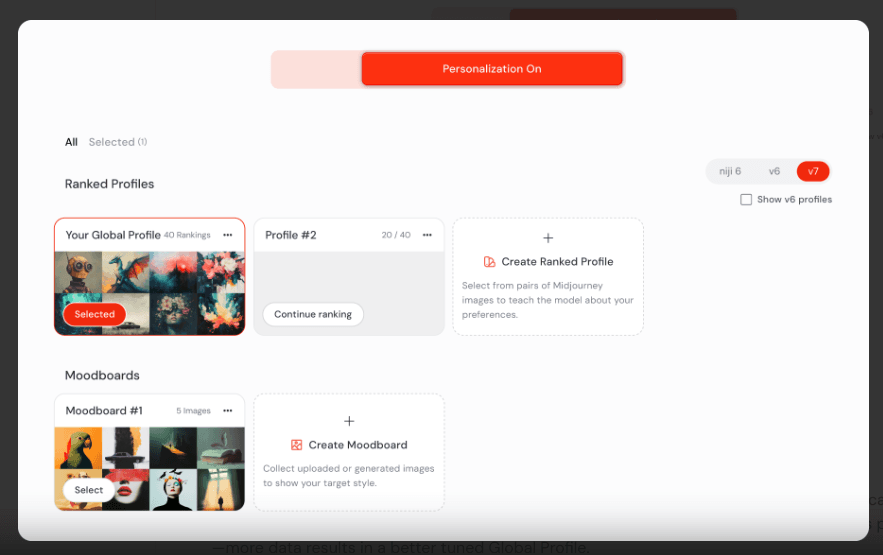
How to Avoid Blurry Exports & Wrong Crop
Two big issues I see in Midjourney ad creatives:
- Blurry outputs
-
Always upscale your keeper images in MJ first
-
Then export at native resolution and resize in a design tool
- Wrong framing after platform crops
-
When prompting, mention: "centered subject with safe margins top and bottom"
-
Test crops in your editor to ensure nothing important is hidden by UI
Tested as of December 2025: these settings are still working well across multiple accounts.
5 Mistakes That Make Your Ads Look Obviously AI (Quick Fixes)
Here's where it gets interesting, most "AI-looking" ads fail for the same boring reasons.
1. Perfect, poreless skin
Fix: add terms like "visible skin texture, small imperfections, realistic lighting".
2. Impossible reflections or shadows
Fix: keep lighting simple: "soft daylight from window on the left".
3. Weird hands and props
Fix: crop hands out when possible, or use "object on table" compositions.
4. Over-stylized backgrounds
Fix: use style raw and prompt for "minimal background, focus on product."
5. Fake embedded text
Fix: tell Midjourney "no text, no logo" and add all typography later in your editor.
When in doubt, zoom out on your phone. If it wouldn't pass as a quick customer shot or a decent studio photo at a glance, adjust the prompt and re-roll.
FAQ – Midjourney Ad Creatives
Can I use Midjourney images commercially?
You need to check the latest Midjourney Terms of Service, but as of late 2025 most paid subscribers can use outputs commercially, with some exceptions around enterprise and IP risk. I still advise:
-
Avoid generating or mimicking trademarked characters or logos
-
Use your own brand assets (real logo, real copy) in post-production
When in doubt, run final concepts by legal if you're in a regulated industry.
How to make products look photorealistic?
I focus on four prompt elements:
-
Camera language: "close-up product photography, 50mm lens, shallow depth of field"
-
Lighting: "soft studio lighting" or "natural window light", pick one, don't mix three styles
-
Surface details: specify "matte bottle," "glossy label," "condensation droplets" where relevant
-
Background simplicity: minimal props so the product reads clearly at thumb size
Combine that with style raw and upscaling, and most people scrolling won't question it.
Fastest way to test 50 ad variations?
Here's the workflow I actually use:
-
Choose one hook concept (e.g., UGC selfie + product)
-
Write 3–4 master prompts changing persona, location, or mood
-
Generate 5–8 grids per prompt (20–30 images each round)
-
Shortlist 12–15 best in a contact sheet
-
Export 6–10 into Canva/Figma, add headlines, and create color variants
In practice, I can go from idea to 50 live variations in under two hours. Once you've done this a few times, Midjourney becomes less of a novelty and more of a reliable creative engine.
Verdict: Midjourney won't replace every photoshoot, but for day-to-day ad testing it's already the fastest way I know to get sharp, scroll-stopping visuals on a small budget. If you've tried any of these workflows or found your own twists, I'd genuinely love to hear what's working in your accounts.