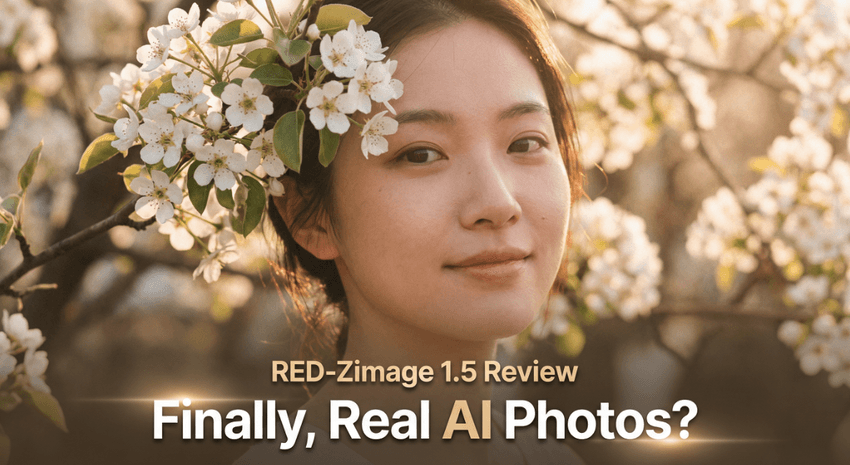
Last Updated: December 04, 2025 | Tested Version: RED-Zimage 1.5 AIO (AIO bf16 checkpoint)
AI tools evolve rapidly. Features described here are accurate as of December 2025.
If you're an independent creator or marketer, you've probably hit the same wall I did: AI images that look impressive at first glance, but fall apart on closer inspection, plastic skin, weird fingers, and text that reads like a keyboard smash.
RED-Zimage 1.5 AIO is the first release in a while that genuinely made me pause and rethink my workflow. It's not just "a better model": it's a deliberate pivot away from overcooked AI aesthetics toward something closer to what a real camera and a careful art director would produce.
In this breakdown, I'll walk through what's new in RED-Zimage 1.5 AIO, how it's built, where it shines, and where it still isn't the right tool, so you can decide if it deserves a slot in your everyday image pipeline.
RED-Zimage 1.5 AIO — Release Information & Version Overview
Released on December 3, 2025, RED-Zimage 1.5 AIO arrives as a small family of formats aimed at different hardware and workflows:
-
AIO bf16 Checkpoint (Full model) – the main "all-in-one" model I used for testing. Best if you want a self-contained, no-base-model-needed setup.
-
Pruned Model fp8 (e4m3fn) – aggressively compressed for lower VRAM, at the cost of some micro-detail. Good for weaker GPUs.
-
Pruned Model bf16 – a middle ground: lighter than the full AIO, but more faithful than fp8.
-
fp16 Version (670.08 MB) – actually the RZ15 LoRA: this is for people who prefer to keep their favorite base model and layer RED-Zimage's behavior on top.
-
LoRA Rank128 – currently exporting at the time of release: meant for more subtle style/control rather than a full personality transplant.
For most solo creators who just want stable, photoreal images with decent text, the AIO bf16 checkpoint is the sweet spot. If you're already deep into a carefully tuned base model stack, the LoRA gives you a way to test RED-Zimage 1.5 without rebuilding your whole workflow.
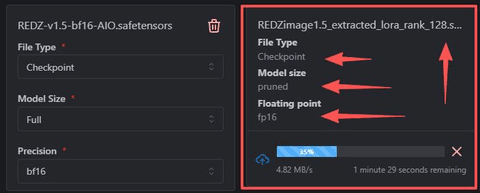
Official model and comparison details live on the project's page at Civitai and tie back to the broader Z-Image ecosystem.
Core Technical Features of RED-Zimage 1.5 AIO
Dual-Strategy Data Sourcing for Higher Model Reliability
Most image generators secretly lean on AI-made images in their training sets, which is like photocopying a photocopy. RED-Zimage 1.5 AIO explicitly breaks from that pattern with a dual-strategy data pipeline:
- Distilled from real user photos (via Nano Banana Pro)
Part of the model's knowledge comes from distillation on a large sample originally tied to the Nano Banana Pro model. Those images are real photographs, not AI outputs, so the model "learns" lighting, texture, and lens behavior that actually match the physical world.
- Research-grade synthetic dataset (ZImageTurboGen-3k)
The second source is the ZImageTurboGen-3k open dataset by @xiaozhijason, available on Hugging Face at lrzjason/ZImageTurboGen. This gives the model controlled, synthetic variation that's ideal for research and style diversity.
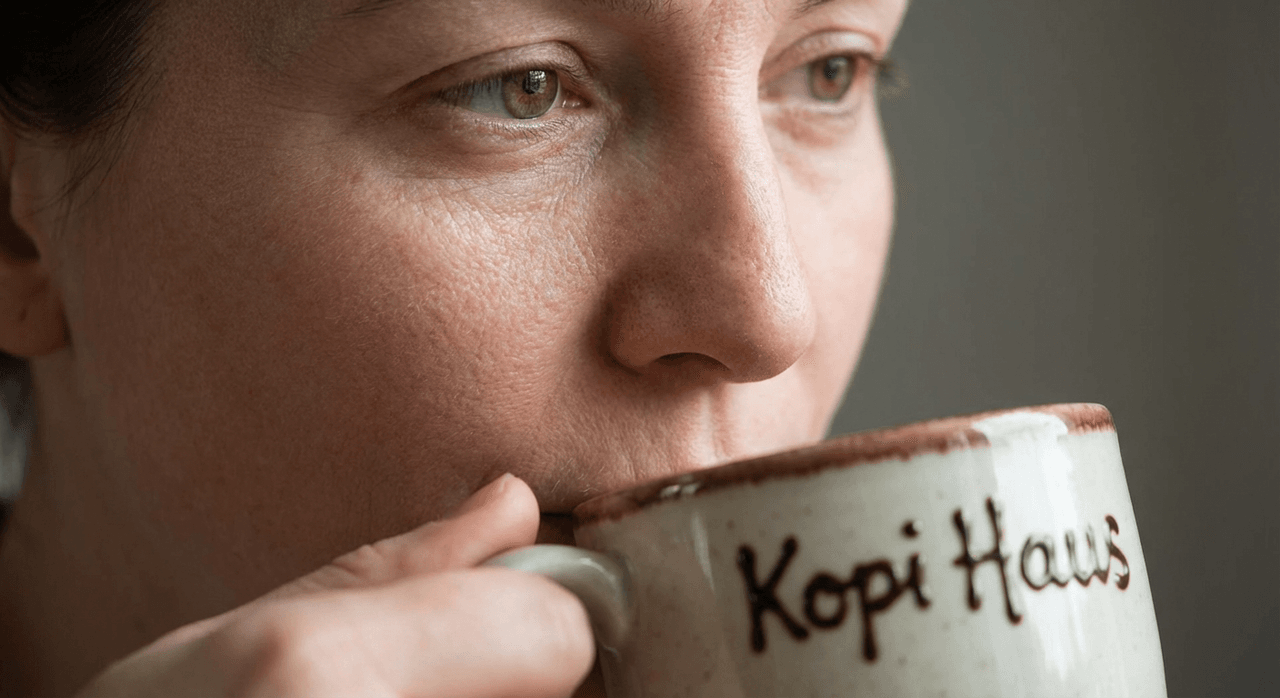
When I prompted it with:
ultra close-up portrait, natural skin texture, pores visible, 50mm lens, soft window light, handwritten logo on mug: "Kopi Haus"
…the skin looked like it came from a real DSLR shot, while the mug text was legible enough for social media assets without heavy retouching. That mix of real-photo grounding plus synthetic diversity is what makes the results feel less "AI-slick."
Core Problems RED-Zimage 1.5 AIO Is Designed to Solve
The previous ZiTurbo generation leaned heavily on AI-generated web images. The downside was obvious once you used it for real marketing assets:
-
Faces and products often looked too polished, great for concept art, less great for believable campaigns.
-
Compositions had an almost "template" feel, like the model was reusing the same visual grammar.
-
Text and logos were hit-or-miss, especially on realistic product shots.
RED-Zimage 1.5 AIO is tuned to fix exactly that. In my tests, it:
-
Produced more grounded lighting and texture for product renders (especially food and beverages).
-
Delivered cleaner, more readable text on labels and billboards than many general-purpose models at similar sizes.
-
Reduced that "hyper-saturated AI poster" look when I used everyday prompts.
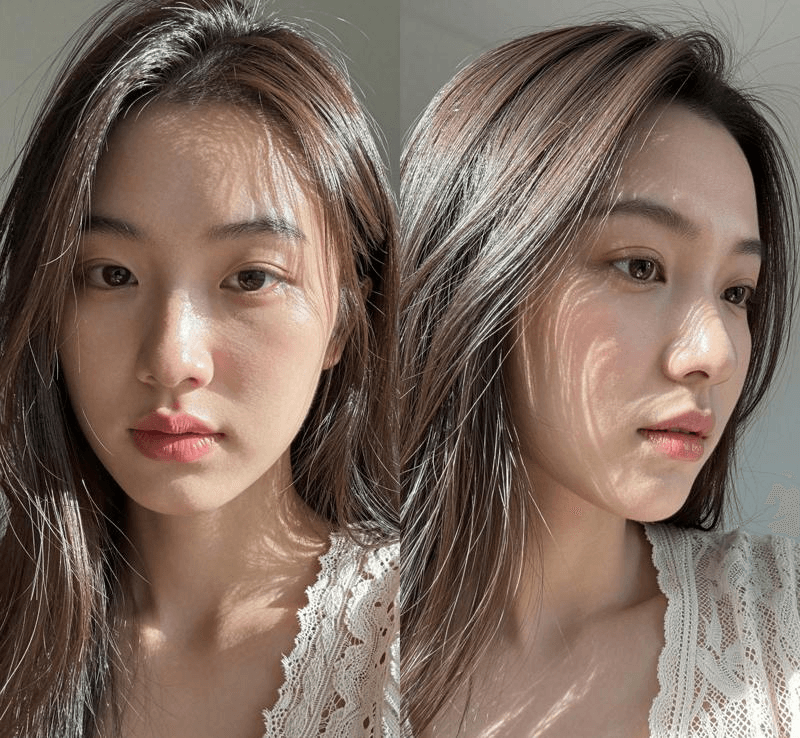
Counter-intuitively, I found that dialing prompts down, shorter, more like a photographer's shot list, actually gives better, more realistic output than long, keyword-stuffed strings.
Enhanced Training Data Through Expert "Manual Curation"
Instead of scraping everything in sight, RED-Zimage 1.5 AIO leans on manual curation from veteran users with 20+ years of experience. The team describes this as having a filter as fast and ruthless as "the reaction speed of a meme battle."
In practical terms, that means:
-
Fewer low-effort or stylistically noisy images in the training mix.
-
More consistent composition and storytelling across outputs.
-
A dataset that behaves more like a carefully built agency portfolio than a random web crawl.
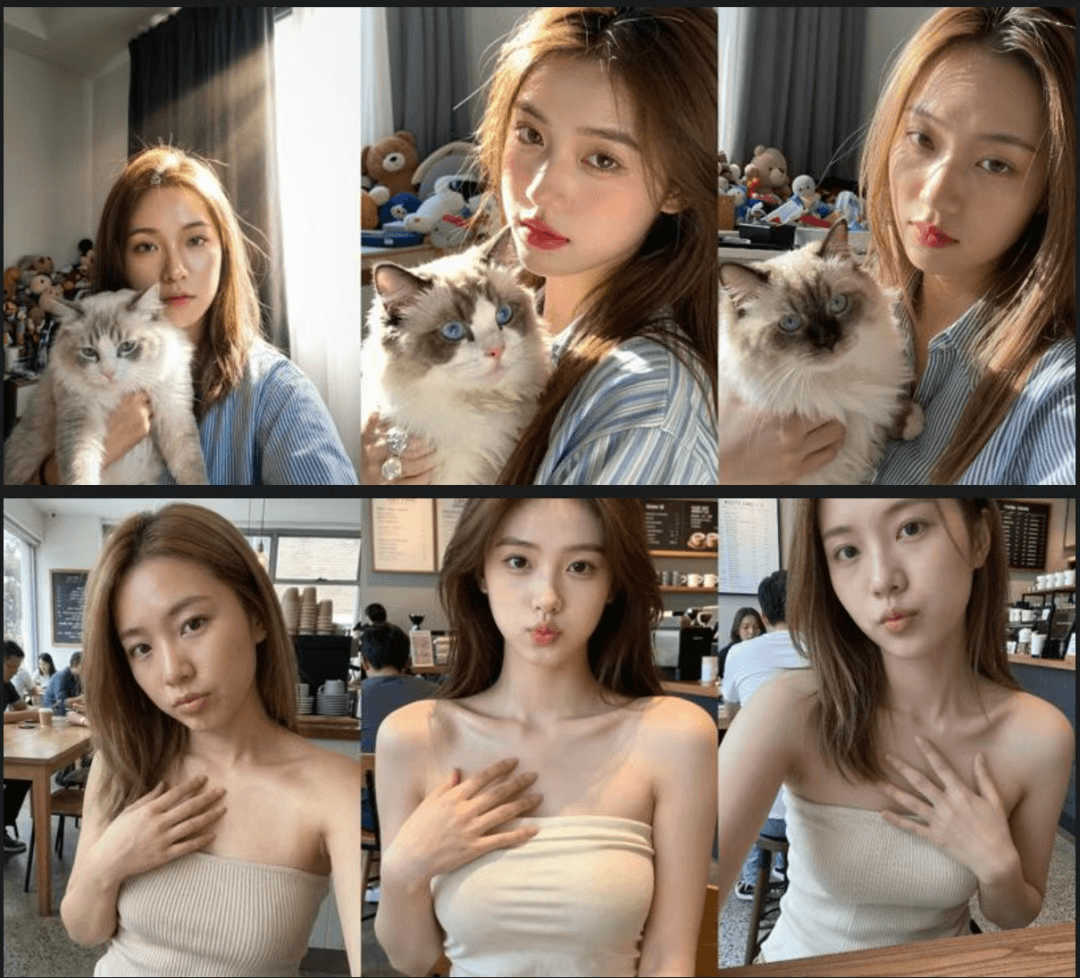
This is the detail that changes the outcome: you feel it when you ask for brand-style images across a whole campaign. Sets of 10–20 images share a coherent taste level instead of veering wildly from frame to frame.
Research Application Scenarios Enabled by RED-Zimage 1.5 AIO
RED-Zimage 1.5 AIO isn't just a production model: it's deliberately framed as a research platform. That matters even if you're "just" a solo creator, because research-grade tools tend to be more transparent and stable.
Three research directions stand out:
- Data distribution shift analysis
Because it blends real photos with synthetic data, it's useful for studying how models adapt when the source distribution changes. For you, that translates into better behavior when prompts mix studio shots, lifestyle scenes, and graphic elements in one campaign.
- De-distillation research
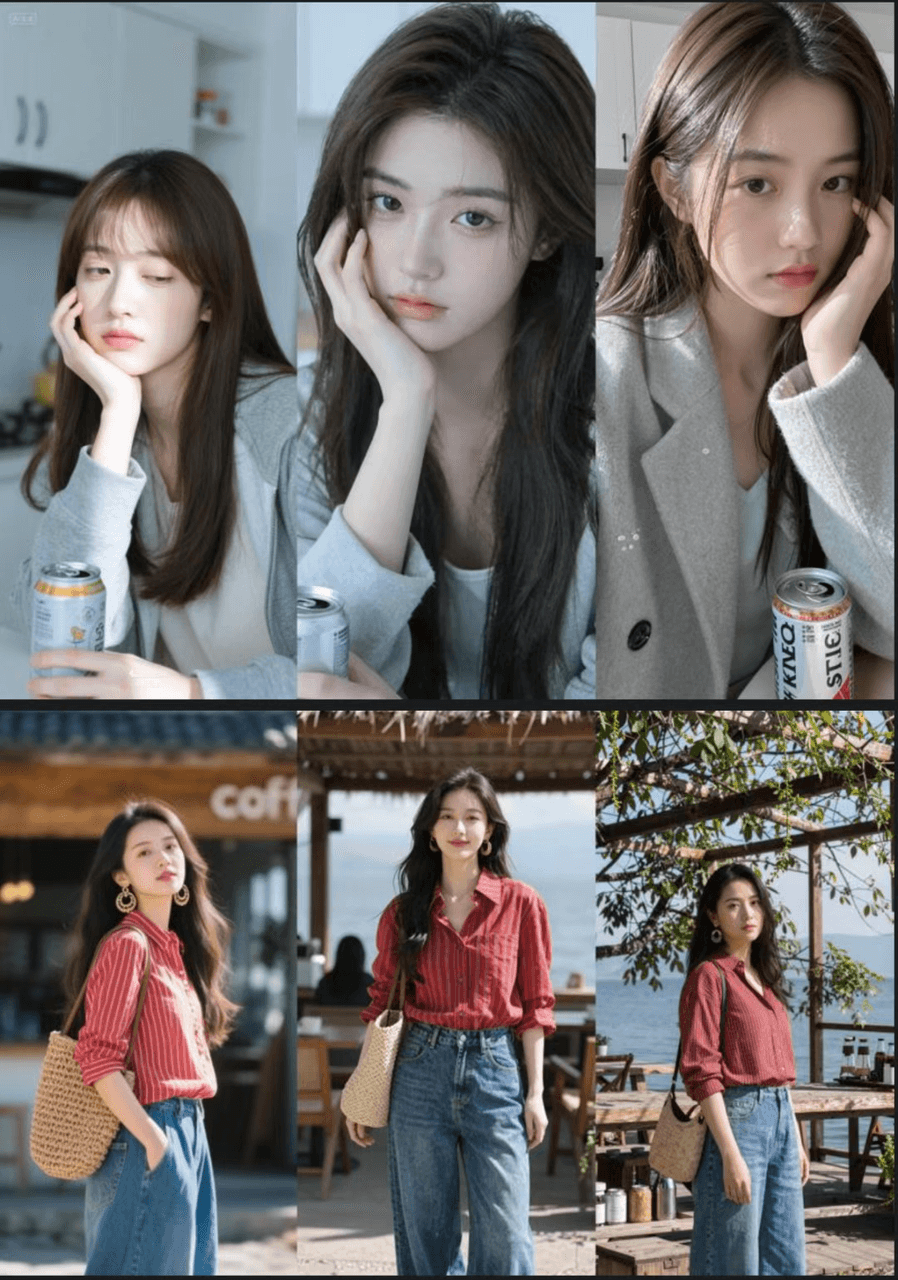
The model is a testbed for understanding how much detail and capability can be restored after distillation. Practically, this means crisper micro-details, fabric weave, skin pores, typography, on a model that's still efficient to run. See related work in diffusion distillation here: [Link to arXiv paper on Diffusion Models].
- Model diversity and mode-collapse avoidance
The mixed dataset makes it easier to benchmark whether a model keeps generating the same "type" of image. When I generated 30+ variations of a "coffee shop rebrand" scenario, I got consistent branding, but different angles, lighting setups, and minor styling choices, rather than 30 near-duplicates.
If you're experimenting with your own LoRAs or fine-tunes, starting from RED-Zimage 1.5 AIO gives you a base that's already been stress-tested in these directions.
Technical Implementation Details of RED-Zimage 1.5 AIO
On the implementation side, RED-Zimage 1.5 AIO is designed for ComfyUI 0.3.73 and similar node-based diffusion front-ends.
-
AIO versions go into your
checkpointsdirectory. -
LoRA versions (including the RZ15 fp16 and Rank128) live in your
lorasdirectory. -
The official example image on the model page embeds a full ComfyUI workflow in its metadata: download that image to inspect and reuse the original pipeline.
This workflow typically includes:
-
A standard diffusion base node with the RED-Zimage 1.5 AIO checkpoint.
-
Text encoder nodes tuned for prompt + negative prompt separation.
-
High-res fix / upscaling steps for cleaner text and edges.
Because the model was built with both research and production in mind, it tends to play nicely with experimental nodes like custom schedulers or refiner passes. You can safely benchmark your own tweaks by saving prompt + seed + node graph and comparing outputs, a simple methodology anyone can run locally without special tooling.
Usage Recommendations for Getting the Best Results with RED-Zimage 1.5 AIO
If you're overwhelmed and just need reliable images for campaigns, here's how I'd approach RED-Zimage 1.5 AIO in practice.
- Start with the AIO bf16 checkpoint
Unless you're extremely VRAM-limited, the full AIO gives the most consistent balance of realism and style.
- Write prompts like creative briefs, not SEO blobs
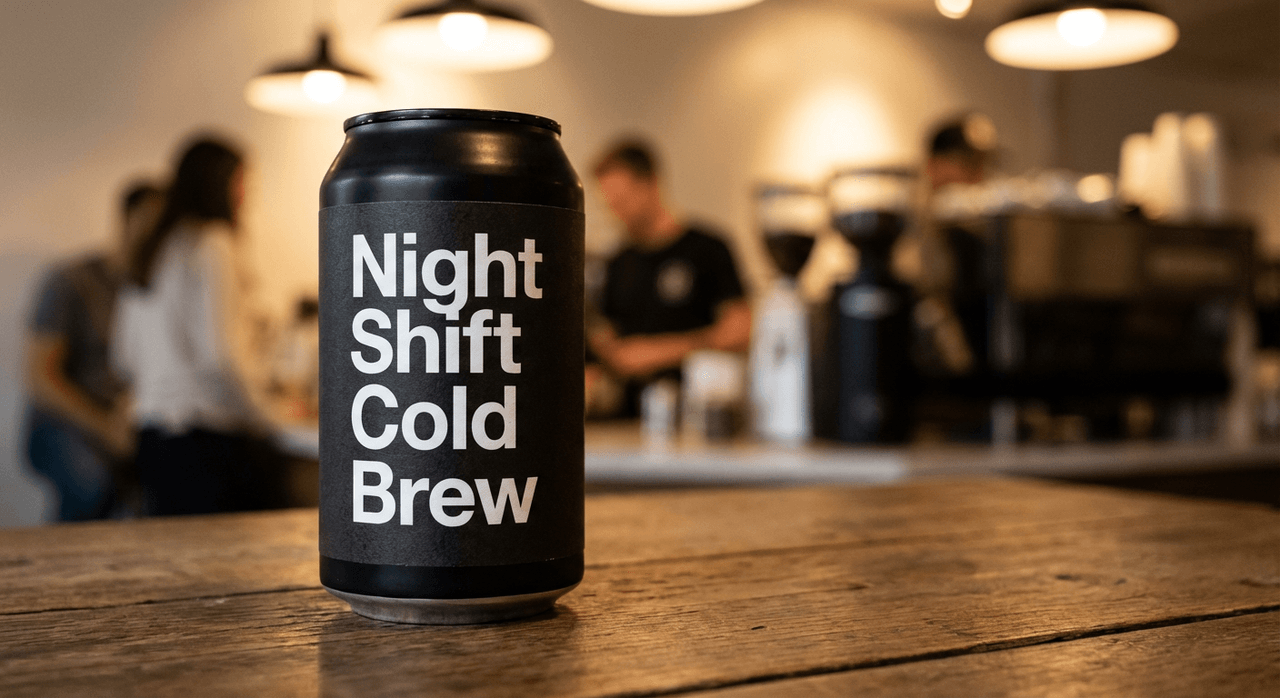
Because the model leans on real-photo distribution, it responds well to prompts such as:
product shot, 35mm lens, shallow depth of field, matte black can on wooden table, ambient cafe lighting, clear label text: "Night Shift Cold Brew"
Short, photography-aware language works better than 15 lines of adjectives.
- Use LoRA if you already have a strong base model
If your pipeline relies on another backbone (e.g., SDXL variants, Z-Image Turbo), attach the RZ15 LoRA at a moderate weight (0.4–0.7) to pull in RED-Zimage's realism without completely overriding your existing style.
- Where it fails / who this is NOT for
-
If you need vector-perfect logos or print-type precision, stick to tools like Illustrator or Figma for the final artwork. Use RED-Zimage 1.5 AIO only for moodboards and mockups.
-
If your brand leans into highly stylized, surreal, or anime-heavy visuals, some outputs may feel too grounded or photographic.
-
If you rely on mobile-only workflows, the AIO checkpoint may be heavy: consider the fp8 pruned model or a cloud service like fal.ai's Z-Image variants.
Used in the right slot, though, campaign mockups, hero shots, and social content, it dramatically cuts down the time you have to spend "fixing" AI weirdness.
Summary of Technical Innovations Introduced in RED-Zimage 1.5 AIO
Zooming out, RED-Zimage 1.5 AIO represents four key shifts compared with typical creator-focused models:
-
Mixed-data training – It actively combines distilled real photos with a research-grade synthetic dataset, balancing realism with controllability.
-
Community-driven quality control – Manual curation by experienced users replaces blind scraping, which you feel as more consistent taste and fewer junk outputs.
-
De-distillation focus – It experiments with restoring fine detail to compressed models, which helps solo creators run serious image generation on modest hardware.
-
Research-first framing – Instead of chasing viral styles, it's framed as a platform for studying distribution shifts and diversity, useful if you're building your own tools on top.
For independent designers and marketers, the net result is simple: fewer unusable renders and a higher hit rate of images you'd actually send to a client or publish in a campaign.
Ethical considerations (2025-ready)
Whenever I use RED-Zimage 1.5 AIO in client work, I make a point to:
-
Stay transparent – Label AI-assisted visuals in internal docs and, where relevant, in public-facing content.
-
Watch for bias – Test prompts across genders, ages, and ethnicities, and manually correct skewed patterns in the final selection.
-
Respect copyright – Avoid copying specific artists' styles, and treat outputs as concept art until legal and brand checks are complete. Rights around diffusion outputs are still evolving: following current best practices from major labs like Google DeepMind and OpenAI is the safest path.
Key Differences Between RED-Zimage 1.5 AIO and the Previous Generation
Compared to the older ZiTurbo line, RED-Zimage 1.5 AIO marks a clear strategic pivot:
-
Training data – ZiTurbo relied mostly on AI-generated web images: RED-Zimage 1.5 mixes real user photos with ZImageTurboGen-3k research data.
-
Visual style – ZiTurbo often looked obviously "AI": RED-Zimage 1.5 sits in a more believable zone between photo and stylized render.
-
Data quality control – ZiTurbo's data gathering was more automated: RED-Zimage 1.5 leans on manual selection by long-time experts.
-
Research value – ZiTurbo was essentially a high-throughput production tool. RED-Zimage 1.5 is explicitly designed to support academic and experimental workflows on top of creator use.
| Feature | ZiTurbo (Previous Gen) | REDZ 1.5 (Current) |
|---|---|---|
| Training Data | Community AI-synthesized web images | Real user photos + Research dataset |
| Style Tendency | Overly "AI-like" | Balances realism and artistic style |
| Data Quality Control | Automated collection | Manual selection by veteran users |
| Research Value | Limited | Specifically designed for research scenarios |
For you, that boils down to this: if ZiTurbo was a mass-production engine for eye-catching AI art, RED-Zimage 1.5 AIO is more like a research-grade camera body you can trust for both experiments and real campaigns.
What has been your experience with RED-Zimage-style models or similar realistic image generators? Let me know in the comments.
RED-Zimage 1.5 AIO – Frequently Asked Questions
What is RED-Zimage 1.5 AIO and who is it for?
RED-Zimage 1.5 AIO is a research-grade image generation model optimized for realistic, campaign-ready visuals. It targets independent creators, designers, and marketers who need believable photography-style images, legible on-image text, and more consistent compositions than typical “AI-art” focused models.
Which version of RED-Zimage 1.5 AIO should I use on my hardware?
If you have a mid-range or better GPU, use the AIO bf16 checkpoint for the best balance of realism and control. For very limited VRAM, choose the fp8 pruned model. If you already rely on another base model, attach the RZ15 fp16 LoRA at moderate strength.
How is RED-Zimage 1.5 AIO different from previous ZiTurbo models?
RED-Zimage 1.5 AIO mixes distilled real photos with the ZImageTurboGen-3k research dataset and relies on manual expert curation. Compared to ZiTurbo, it produces less “AI-slick” imagery, more grounded lighting and texture, cleaner text, and is explicitly designed for research as well as production use.
What is the best way to prompt RED-Zimage 1.5 AIO for realistic images?
Write prompts like a photographer’s shot list or creative brief: specify lens, lighting, subject, and basic styling in short, clear phrases. For example, “product shot, 35mm lens, shallow depth of field, matte can on wooden table, ambient cafe lighting, clear label text” tends to outperform long, keyword-stuffed prompts.
Can I use RED-Zimage 1.5 AIO for logo design and print-ready typography?
RED-Zimage 1.5 AIO can generate mockups and moodboards with reasonably legible text, but it’s not a replacement for vector tools. For final logos or print-perfect typography, use Illustrator, Figma, or similar software, and treat RED-Zimage outputs as concept references rather than production-ready assets.