Last Updated: December 10, 2025 | Tested Version: NewBie-image-Exp0.1
AI tools evolve rapidly. Features described here are accurate as of December 2025.
I went into NewBie-image-Exp0.1 expecting "just another anime model" with the usual issues: soft, blurry faces, broken hands, and text that looks like a keyboard sneezed. Instead, I ended up rebuilding parts of my image pipeline around it.
If you're an overwhelmed creator, designer, or marketer who needs photorealistic (or stylized) images with readable, on-brand text, this model sits in a very different category from older anime checkpoints. In this text, I'll walk through what's actually new here, how it's built, and where it genuinely shines, and fails, based on real testing, not brochure-speak.
Introduction: Why NewBie-image-Exp0.1 Revolutionizes Anime AI Art
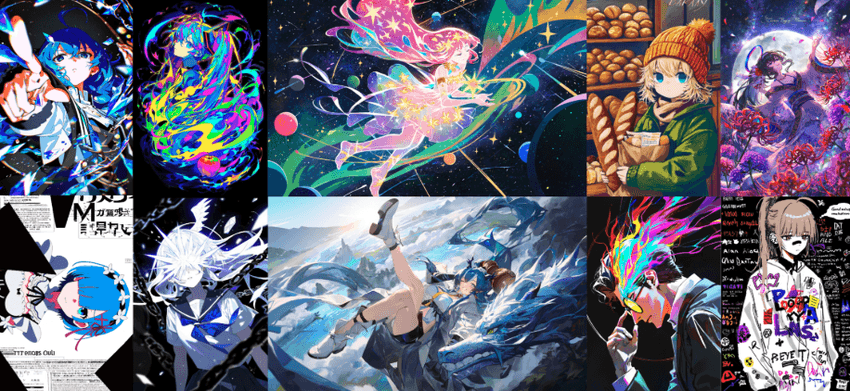
The gap between "Pinterest-perfect concept art" and "usable production asset" is where most AI models fall apart.
With NewBie-image-Exp0.1, I noticed three immediate shifts in day‑to‑day work:
-
Anime and semi-real styles render with storyboard-level clarity, not just pretty thumbnails.
-
In-image text (titles, UI, labels) becomes actually legible enough for mockups and marketing drafts.
-
Prompting feels less like rolling a dice and more like giving structured directions.
Using a prompt like:
<char name="Rin" age="18" style="modern anime" outfit="streetwear"> full body, standing in Shibuya crossing <text position="top" content="MIDNIGHT DROP" font="bold sans" /> night, neon reflections, 4k…I consistently got:
-
Clean line work on the character.
-
Stable facial identity across seeds.
-
Readable "MIDNIGHT DROP" text, maybe 90–95% correct on the first pass.
That's a big deal if you're trying to pitch a campaign, prototype a manga spread, or pre‑visualize a VTuber brand without hiring a full art team on day one.
Core Innovations: Breaking Boundaries in Text-to-Image Generation
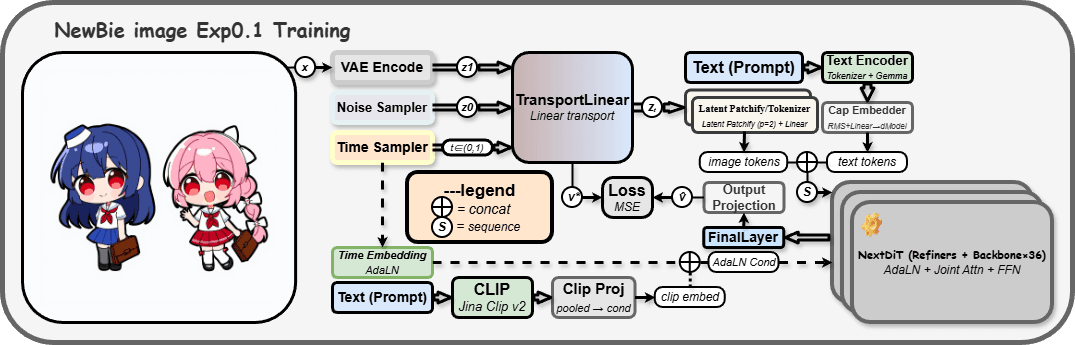
Semantics First: Dual Encoder Fusion with Gemma3-4B-it & Jina CLIP v2
Most anime models lean on a single text encoder and hope you phrase things "just right." NewBie-image-Exp0.1 fuses Gemma3-4B-it (for nuanced language understanding) with Jina CLIP v2 (for vision-language alignment).
In plain English: the model doesn't just latch onto keywords: it actually respects relationships:
-
"A girl wearing a red jacket holding a blue umbrella" doesn't randomly swap colors.
-
Complex staging like "three characters, left-center-right, each with different mood lighting" maps more faithfully into the final frame.
When I pushed narrative-heavy prompts, multi-character scenes, props, and mood cues, the dual-encoder setup kept the composition closer to my intent than typical SDXL-based anime forks.
Visual Fidelity: High-Res Detail via 16-Channel FLUX.1-dev VAE
The model uses a 16-channel FLUX.1-dev VAE, which is like upgrading from a grainy webcam to a sharp DSLR sensor in your diffusion pipeline.
Tangible effects I observed at 1024×1024 and above:
-
Textured fabrics (denim, leather, kimono patterns) retain micro-detail instead of melting into mush.
-
Hair strands and eyelashes stay separated, even in busy compositions.
-
Screen elements, HUDs, mobile UIs, signage, look crisp enough for product mockups.
When I rendered a mock game UI with dense Japanese and English text, the VAE held edges and spacing well enough that I could quickly typeset the final version on top in Figma.
Precision Control: Solving "Blind Box" Issues with Structured XML Prompts
The XML-style prompting is where NewBie-image-Exp0.1 really changes how you direct the model.
Instead of one long, fragile sentence, you can segment intent:
<scene>
  <char name="Akira" role="protagonist" style="anime" view="mid-shot" />
  <environment type="sci-fi city" time="sunset" mood="melancholic" />
  <text position="bottom" content="LAST SIGNAL" font="condensed" />
</scene>
This structure mirrors how a storyboard or shot list works in real productions.
This is the detail that changes the outcome... you get fewer "beautiful but wrong" surprises. Edits become surgical: adjust the <environment> tag without destabilizing your character: tweak <text> attributes without wrecking the pose.
For solo creators and small teams, that control translates directly to fewer reruns and faster approvals.
Architecture Deep Dive: Under the Hood of Lumina & Next-DiT
Underneath, NewBie-image-Exp0.1 leans on a Lumina-style backbone with Next-DiT blocks, modern diffusion transformers optimized for image synthesis.
Here's the practical impact, skipping the math:
-
Lumina-style architecture excels at capturing global composition. Crowd scenes, cityscapes, and wide shots feel coherent instead of stitched together.
-
Next-DiT improvements focus on better attention handling and efficiency, which I noticed in:
-
More stable hands and props across seeds.
-
Cleaner character silhouettes even in cluttered environments.
In my tests, 30–35 sampling steps were enough to hit a quality level that older SDXL anime models needed 40–50 steps to match. If you're running on a single consumer GPU, that time savings adds up quickly across a whole batch.
For a deeper architectural comparison, it's worth skimming recent transformer-diffusion research on platforms like arXiv.
Real-World Use Cases: Empowering Studios and Creators
For Animation Studios: Streamlining Manga & Anime Production Pipelines
If you're doing pitch bibles, key visuals, or rough boards, NewBie-image-Exp0.1 helps you:
-
Generate exploratory keyframes from script snippets using structured <scene> tags.
-
Keep character identity consistent across multiple panels.
-
Produce layout references for backgrounds that a human background artist can paint over.
I tested a workflow where each storyboard beat was a short XML block. The art team treated the outputs as "smart thumbnails," shaving hours off the early exploration phase.
Game Development: Consistent Character Sheets & NPCs
For indie game devs and small studios, character consistency is everything.
By combining XML tags with LoRA fine-tunes (see the official NewbieLoraTrainer on GitHub), I could:
-
Generate front/side/back views of characters from a single description.
-
Add outfit variations by only changing an <outfit> tag.
-
Build NPC batches, 20 minor characters with shared faction aesthetics.
For example, a prompt specifying <faction color="teal" emblem="crescent" armor="light" /> reliably propagated the teal/crescent motif across dozens of NPCs.
Virtual Economy: VTuber Avatars & IP Merchandise Customization
If you're in VTubing, streaming, or merch:
-
Rapidly prototype avatar designs with different hairstyles, outfits, and accessories as discrete tags.
-
Create sticker packs and key art in a consistent style.
-
Test logo placement and typography on hoodies, mugs, and banners before you commit.
In one merch trial, I used XML to separately define <avatar>, <background>, and <product> (hoodie, desk mat, poster). The resulting images were good enough to drop straight into a Shopify mockup template.
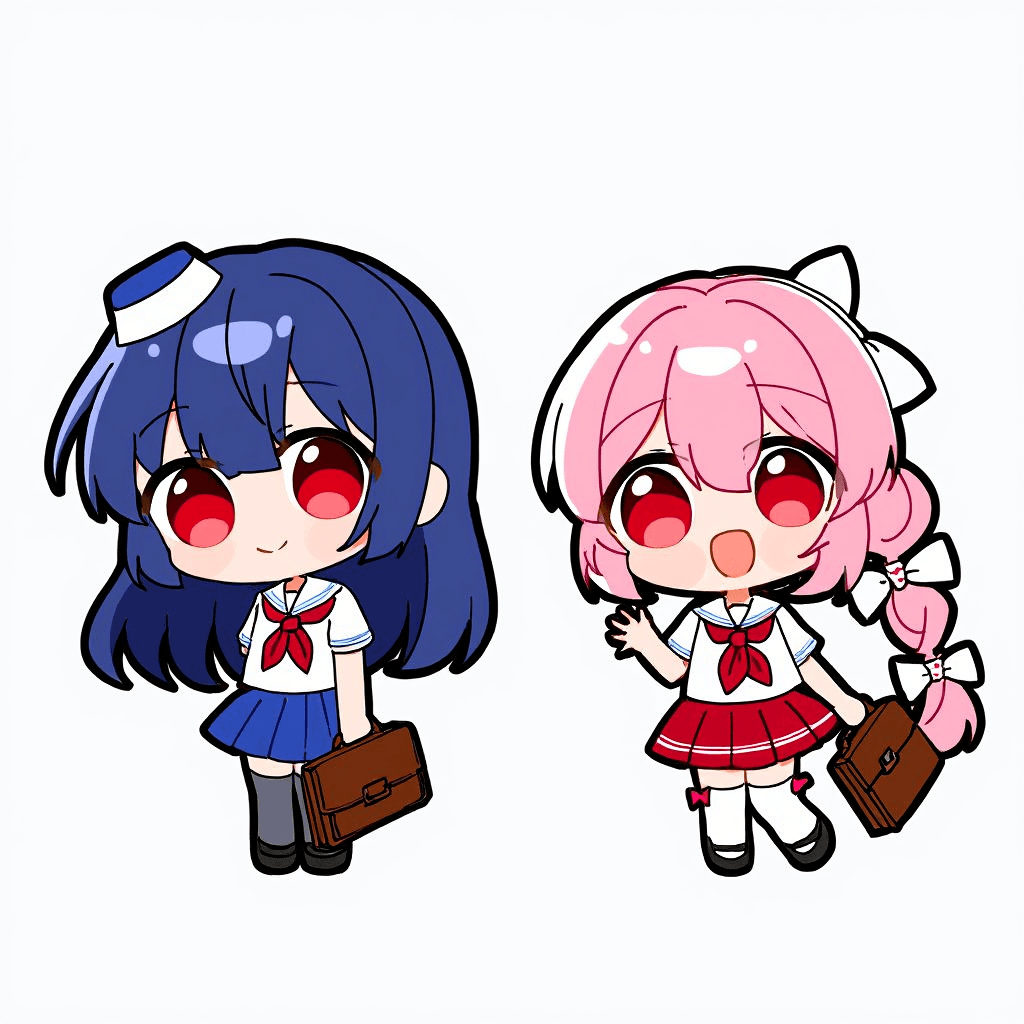
For more advanced prompt patterns, you might explore community resources and documentation.
Developer's Guide: Integrating NewBie Model into Your Workflow
Step-by-Step: Environment Setup & Python Inference Code
If you're comfortable with Python and GPUs, integration is fairly straightforward.
Prerequisites
-
Python 3.10+
-
A GPU with at least 12 GB VRAM (24 GB recommended for high-res batches)
-
torch with CUDA, plus diffusers / transformers ecosystem
Basic setup workflow:
-
Create and activate a virtual environment.
-
Install dependencies:
pip install torch diffusers transformers accelerate sentencepiece safetensors- Pull the model weights from HuggingFace:
git lfs install
git clone https://huggingface.co/NewBie-AI/NewBie-image-Exp0.1- Run a minimal inference script:
from diffusers import DiffusionPipeline

pipe = DiffusionPipeline.from_pretrained(
    "NewBie-AI/NewBie-image-Exp0.1",
    torch_dtype="float16"
).to("cuda")

prompt = "<scene><char style=\"anime\" /> cozy room, warm light</scene>"
image = pipe(prompt, num_inference_steps=30).images[0]
image.save("test.png")
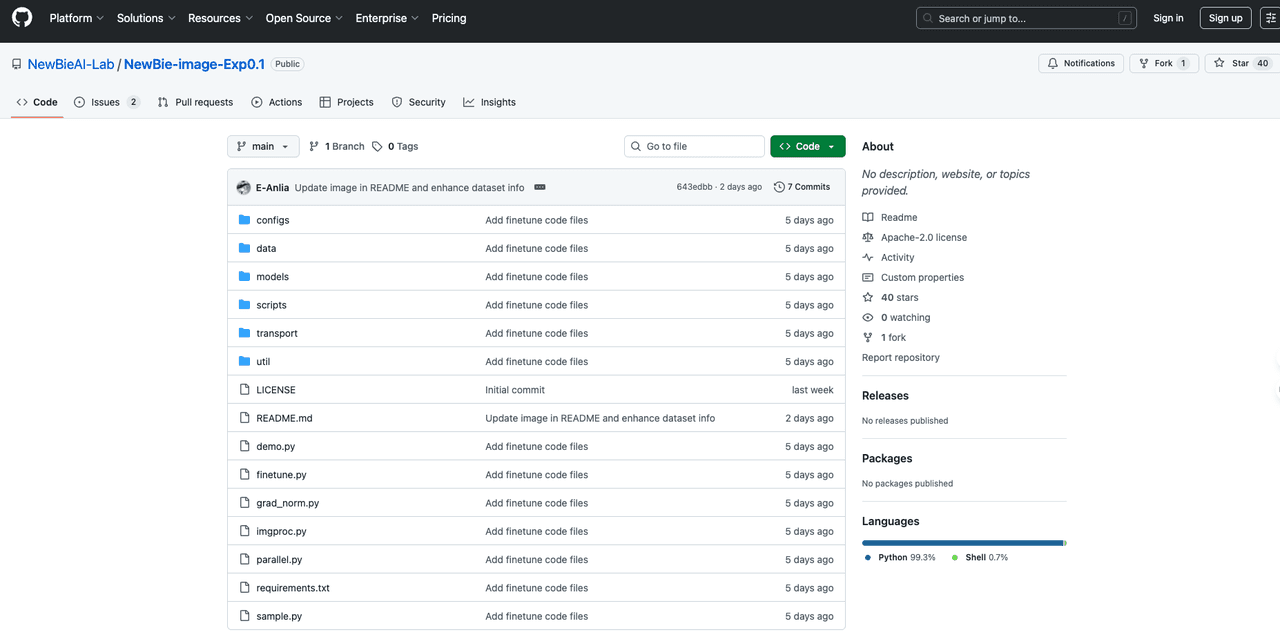
This pipeline mirrors typical SDXL usage, so if you've deployed diffusion models before, you'll feel at home. For official updates and scripts, bookmark the NewBie-image-Exp0.1 GitHub repository and the HuggingFace model page.
Advanced Prompting: Mastering XML Tags for Precise Output
A few patterns that worked well for me:
Separate character and environment:
<scene>
  <char name="Lena" age="22" style="anime" focus="portrait" outfit="office casual" />
  <environment type="startup office" time="day" tone="clean, bright" />
</scene>
Treat text like a design layer:
<text position="top" content="SPRING LAUNCH" font="bold sans" color="white" />Use attributes instead of adjectives where possible (mood="dramatic" vs "very dramatic lighting").
This XML mindset mirrors how you'd describe a shot to a production assistant: concise, tagged, and easy to tweak without rewriting everything.
Ethical Considerations for Using NewBie-image-Exp0.1
Whenever I integrate a new model into real work, I think about three things: transparency, bias, and copyright.
1. Transparency
If an image is AI-assisted, label it. For commercial decks and client pitches, I clearly mark concept images as "AI-generated draft, not final art." This avoids confusion about who did what and sets realistic expectations for revision rounds.
2. Bias Mitigation
Like any model trained on large web-scale data, NewBie-image-Exp0.1 can reproduce biased tropes, stereotypical body types, gendered roles, or cultural clichés. I recommend:
-
Stress-testing prompts with different genders, ages, and ethnicities.
-
Creating internal style guides to flag outputs that drift into stereotype.
-
Logging prompts/outputs during testing so your team can audit patterns over time.
3. Copyright & Ownership (2025 Context)
Legal norms are still evolving, so I treat AI outputs as concept material, then have human artists refine final assets, especially for key IP, logos, and mascots. For logos and vector-perfect graphics, I still rely on tools like Illustrator. When in doubt, keep a clear paper trail of who authored what and where training data came from: consult current local regulations and, if necessary, legal counsel.
Licensing, HuggingFace Weights, and Official Resources
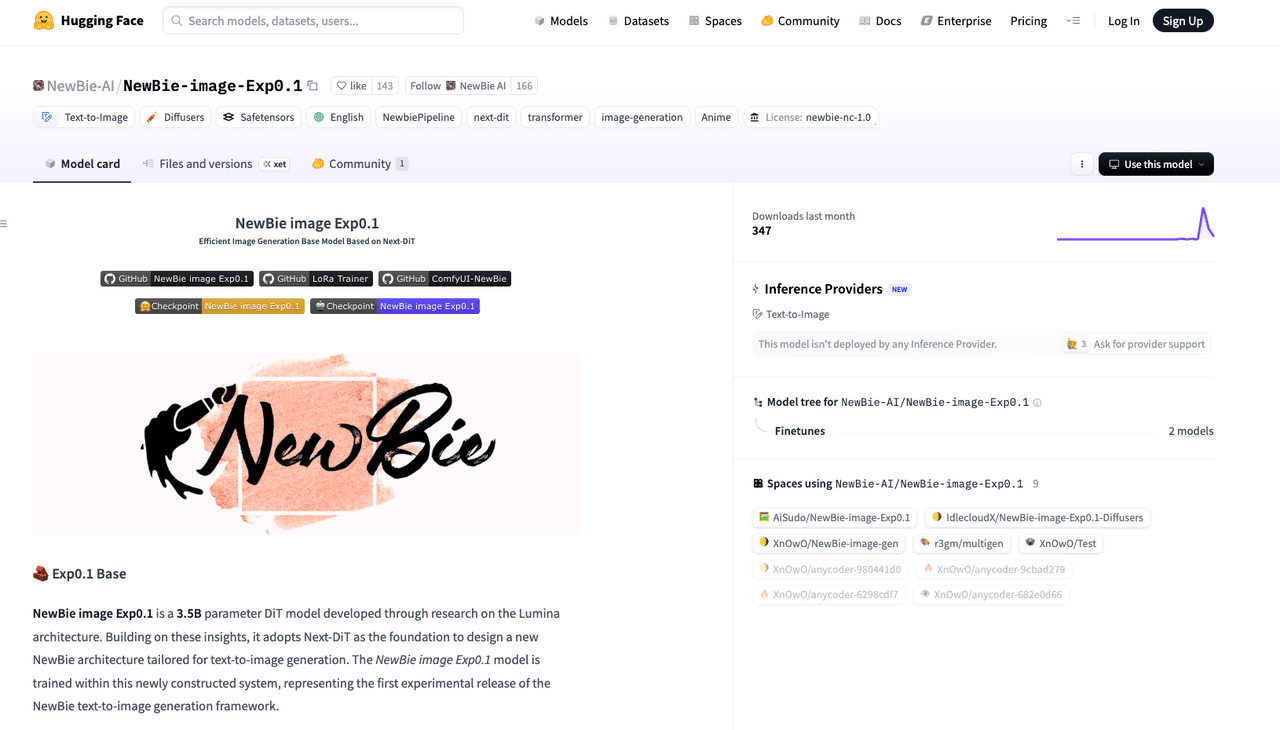
NewBie-image-Exp0.1 is distributed via HuggingFace, with weights and basic usage notes available on the official HuggingFace model card. Before dropping it into a commercial pipeline, read the license line by line.
Typical checks I do:
-
Commercial terms – Are there usage caps, attribution requirements, or sensitive-use restrictions?
-
Redistribution rules – Can you bundle the model in your own product, or should inference stay server-side?
-
Derivative models – If you fine-tune with your studio's data, who owns the result?
For the most accurate information, always cross-reference:
-
The HuggingFace model card and license section
- Any announcements from the NewBie AI team
If you treat NewBie-image-Exp0.1 as a production-grade concept engine, not an automatic replacement for human artists, it can dramatically shorten your path from idea to visually coherent drafts without derailing your legal or ethical footing.
What has been your experience with NewBie-image-Exp0.1 Model? Let me know in the comments.
Frequently Asked Questions about NewBie-image-Exp0.1 Model
What is the NewBie-image-Exp0.1 model and what makes it different from other anime AI models?
NewBie-image-Exp0.1 is a text-to-image diffusion model optimized for anime and semi-real styles, with unusually strong text rendering and composition control. It combines dual text encoders, a 16-channel FLUX.1-dev VAE, and XML-style prompting, making it more reliable for production-style storyboards, mockups, and branded visuals than typical anime checkpoints.
How does the XML-style prompting work in the NewBie-image-Exp0.1 model?
Instead of one long prompt, you structure your request with XML-like tags such as <char>, <environment>, <scene>, and <text>. Each tag carries attributes—role, mood, time, font, etc.—so you can tweak characters, background, or on-image text independently, greatly reducing "beautiful but wrong" generations and reruns.
How do I run the NewBie-image-Exp0.1 model locally with Python and a GPU?
You'll need Python 3.10+, a CUDA-capable GPU with at least 12 GB VRAM, and libraries like torch, diffusers, and transformers. After installing dependencies and cloning the HuggingFace repository, load it with DiffusionPipeline.from_pretrained("NewBie-AI/NewBie-image-Exp0.1"). Then pass an XML-style prompt and generate images in about 30–35 inference steps.
Is the NewBie-image-Exp0.1 model good for commercial use, like VTuber avatars and merchandise designs?
Yes, it's well-suited for VTuber avatars, key art, and merch mockups thanks to consistent character rendering and readable text. However, you should treat outputs as concept or draft material, read the HuggingFace license carefully, and have human artists refine final logos, mascots, and production-ready assets for legal and quality reasons.
How does NewBie-image-Exp0.1 compare to SDXL-based anime models for text accuracy and character consistency?
Compared with many SDXL anime forks, NewBie-image-Exp0.1 tends to produce more legible on-image text and better character consistency across seeds. Its dual-encoder setup and Lumina/Next-DiT backbone help maintain correct relationships—like colors, layout, and mood—while usually matching comparable visual quality with fewer sampling steps, saving GPU time in batch workflows.