If we're honest, most "free" image generators either watermark everything, blur the details, or completely mess up text. Z-Image AI is one of the few tools that claims to be a fast, free AI image generator that can handle text and HD quality without a complicated setup.
In this review, we'll walk through what Z-Image AI is, how it works in real workflows, and when it makes sense to stay on the free plan or go paid. Our focus is simple: can Z-Image AI help us generate usable, photorealistic images with readable text in minutes, not hours?
What Is Z-Image AI? (2025 Quick Intro)
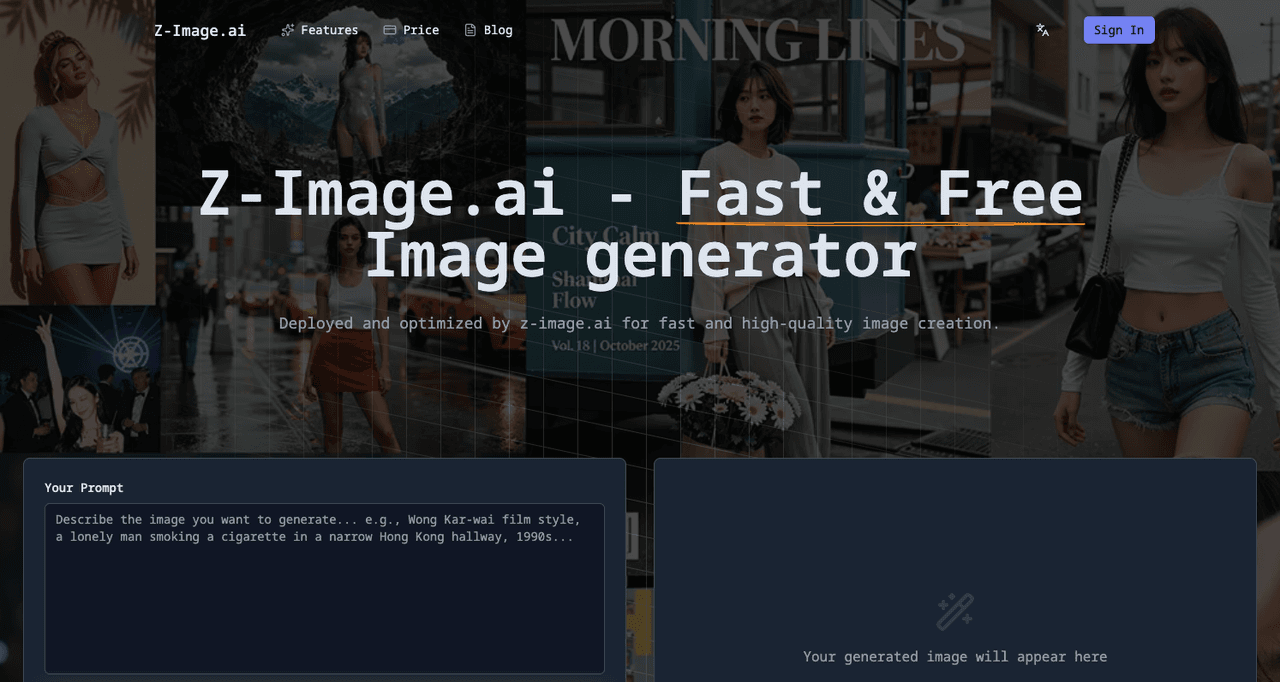
Z-Image AI is an online AI image generator designed for fast, photorealistic results with minimal setup. We can run it directly in the browser, start with free credits, and generate images from plain-language prompts.
Tested as of December, 2025 on a standard laptop (Chrome, Wi‑Fi), Z-Image AI behaved like a streamlined tool for quick campaigns, thumbnails, and social graphics where we don't want to spend 30 minutes fighting with settings.
The Free AI Image Generator You Can Start Using in 30 Seconds
For overwhelmed creators, speed matters more than fancy dashboards. With Z-Image AI, the basic flow is:
-
Go to the site
-
Sign up with email or social login
-
Get a small bundle of free daily credits
How It Stands Out from Other Free Tools
Compared to many browser-based generators, Z-Image AI stands out in three ways:
-
Speed: Turbo Mode produces images in a few seconds rather than 30–60 seconds.
-
Text handling: It's not perfect, but simple titles and short words on signs or product labels came out more legible than we usually see in free tools.
-
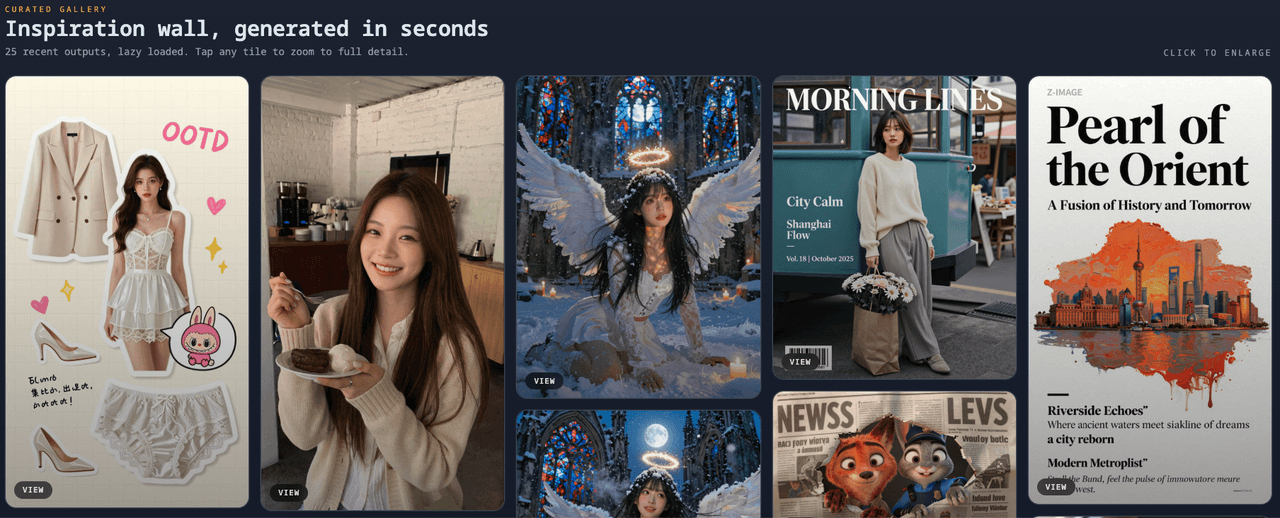
Usable HD: Even on free, we can get images that hold up on social feeds and medium-sized web placements.
We still wouldn't rely on it for high-end print layouts, but for posts, ad mockups, and pitch decks, the quality and speed are strong for a tool at this price point.
Top 5 Key Features of Z-Image AI
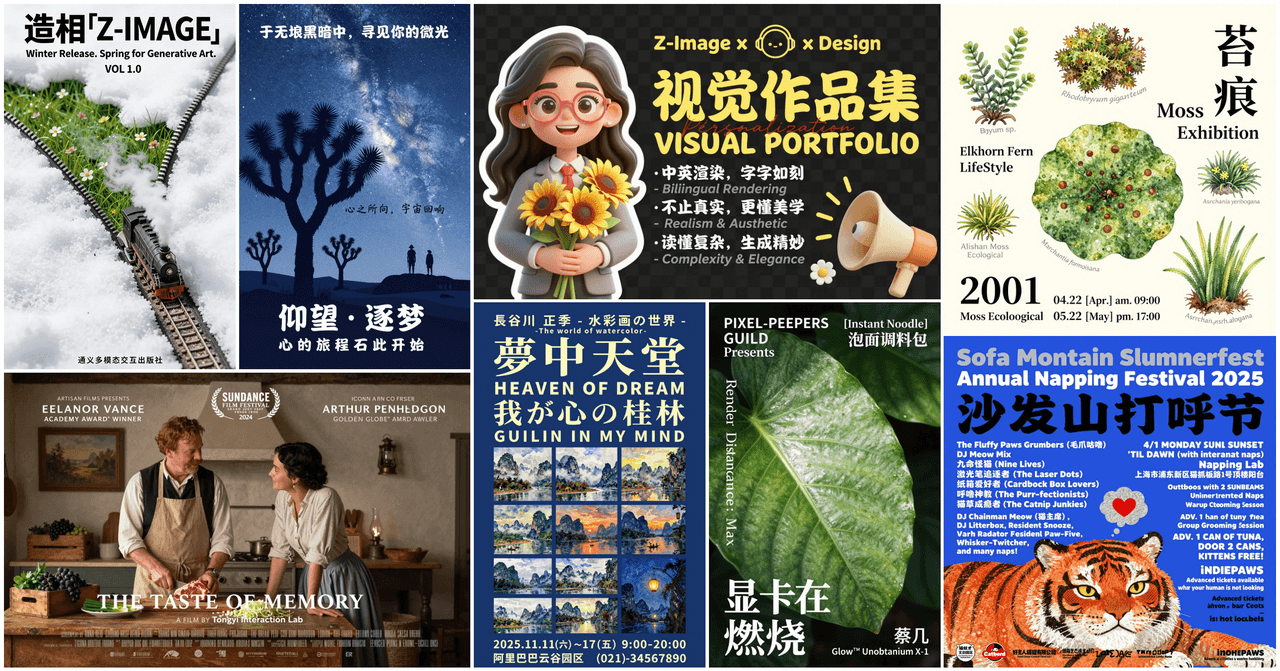
Z-Image AI is built around fast iteration. Instead of burying us in sliders, it focuses on a few high-impact features that fit real workflows.
Turbo Mode – Real Instant Generation
Turbo Mode is the setting we end up using the most. When it's on, images generate in roughly 3–8 seconds in our testing, depending on complexity. That means we can:
-
Brainstorm multiple ad concepts in a single sitting
-
Refresh a blog hero image while we're still editing the article
-
Test prompt variations quickly before we burn through credits
For short deadlines, this speed advantage is more important than having dozens of rarely used settings.
True HD + Refined Textures
Z-Image AI's "HD" isn't just an upscale filter. We see:
-
Sharper edges on objects
-
More convincing skin and fabric textures
-
Better separation between foreground and background
For example, a "product-on-white" shot of a skincare bottle looked crisp enough for a Shopify product page. This makes Z-Image AI a practical photorealistic AI image generator with text if we're working on ecommerce or brand visuals.
Smart Prompt System & Daily Free Credits
Z-Image AI includes a smart prompt system with presets like "Product Photo," "Portrait," and "Poster." These presets quietly add style and lighting cues behind the scenes, so our short prompts behave like longer, more detailed instructions.
We also get daily free credits that reset, which is ideal if we only need a handful of images per day. The smart prompts help us waste fewer credits on bad attempts, because the base structure already nudges the model toward usable compositions.
How to Use Z-Image AI – 4 Simple Steps
Once we know the basic flow, Z-Image AI fits easily into an existing content workflow. Here's the streamlined way to get consistent results.
Step 1: Sign Up & Grab Free Credits
We create an account (email, Google, or other provider), then land on the main generation page. Our free credits are visible at the top. It's worth noting:
-
Each generation costs credits (more if we use Turbo or higher resolution)
-
Regenerating with minor tweaks also uses credits
So we want to be intentional about our first prompt.
Step 2: 3 Prompt Templates That Always Work
To cut guesswork, we lean on three prompt patterns:
- Product shot:
"Photorealistic [product] on clean white background, soft studio lighting, 50mm lens"
- Portrait:
"Portrait of [subject], natural lighting, shallow depth of field, realistic skin texture"
- Poster with text:
"Minimalist poster of [subject], bold centered title text: 'YOUR TEXT', flat background"
We keep text short, use all caps for titles, and avoid mixing too many fonts in the prompt. This significantly improves the chance that text comes out readable.
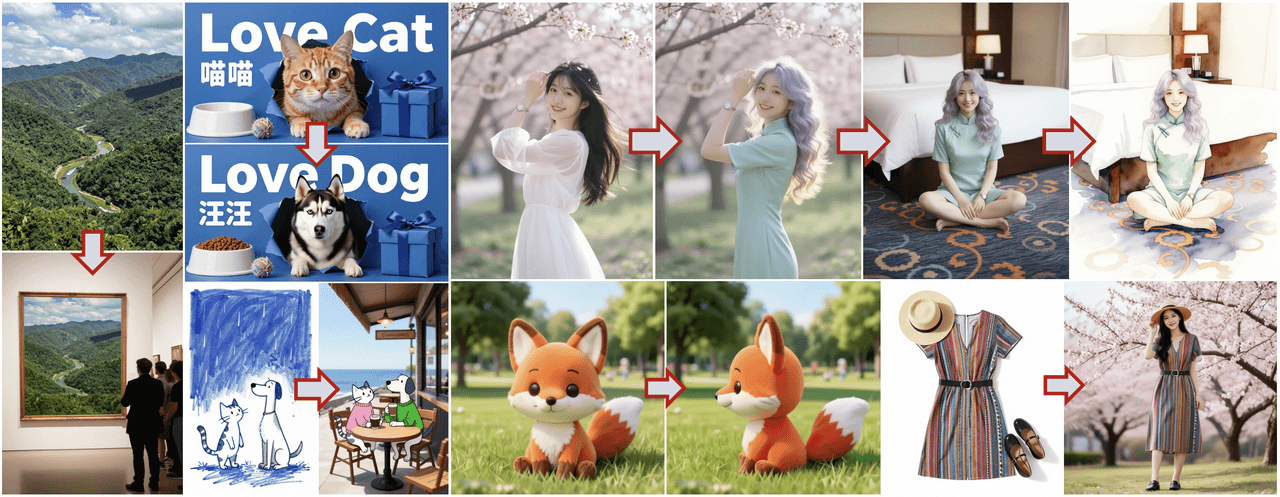
Step 3: Edit, Upscale, Download
After generation, we typically:
-
Pick the best variant
-
Use the built-in upscale/HD option if it's for a website or ad
-
Download in PNG or JPEG
For light edits, cropping, adding more precise text, brand colors, we still recommend running the image through a design tool like Figma, Canva, or Photoshop. Z-Image AI gets us 80–90% of the way.
One Common Mistake to Avoid
The biggest mistake we see is overloading prompts with conflicting instructions. When we ask for "minimalist" and "busy collage" and "neon lighting" in one prompt, the model splits the difference and gives us a muddy image.
We get better results when we:
-
Focus on one dominant style per prompt
-
Keep text short and clear
-
Avoid long lists of camera specs unless we know why they matter
That clarity saves credits and gives Z-Image AI a fair chance to produce something we can actually use.
Z-Image AI Free vs Paid – 2025 Comparison
When we evaluate any AI image tool, we look at one thing first: can we get real work done on the free tier? With Z-Image AI, the answer is yes, if our needs are light to moderate.
What You Get Completely Free
On the free plan (as of 2025), we typically get:
-
A limited but renewable pool of daily credits
-
Standard and some HD generations
-
Access to core styles and the main smart prompt options
This is enough for social posts, concept art, thumbnails, and light marketing use. For heavy campaigns, we'll feel the credit ceiling quickly.
When (and Why) You'll Want to Upgrade
Paid makes more sense if:
-
We're generating images for clients every day
-
We need consistent Turbo Mode performance
-
We require larger resolutions for print or high-res web banners
Here's where it gets interesting… once we cross a certain volume, the time saved by instant generation and batch jobs becomes more valuable than the subscription price. At that point, Z-Image AI shifts from "free helper" to part of the core production workflow.
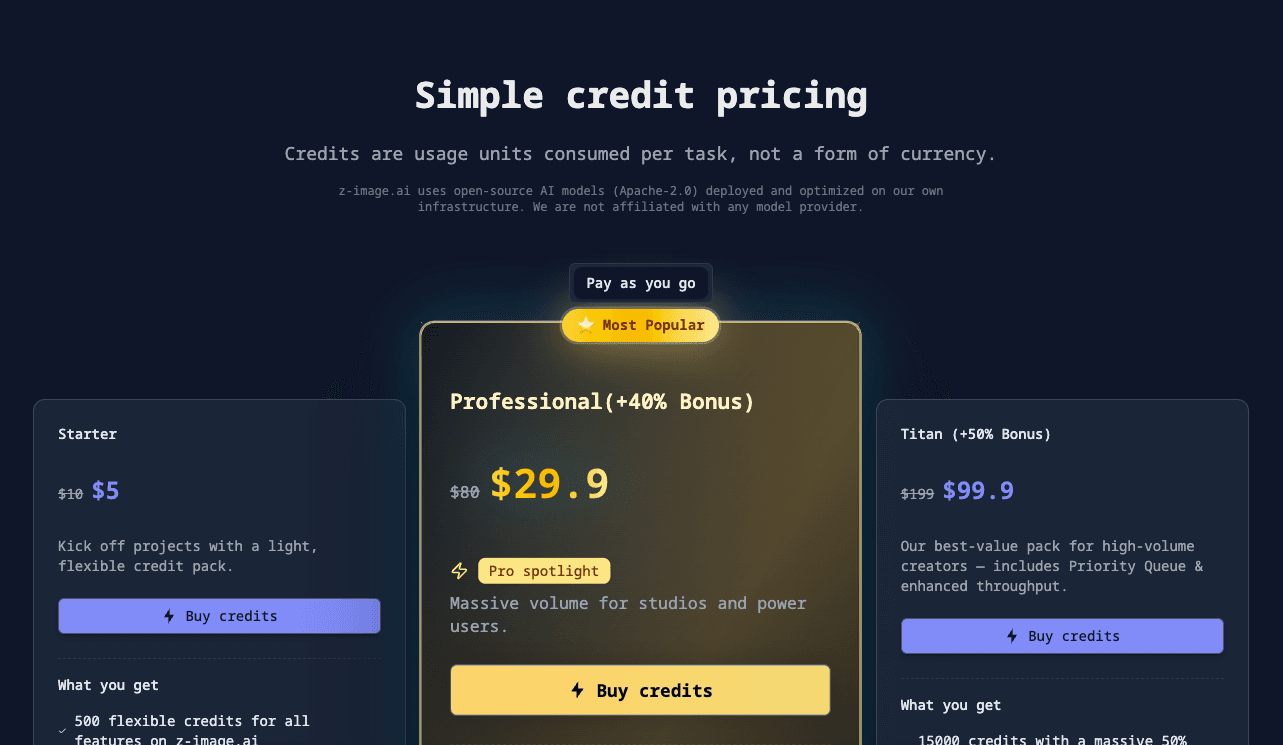
Quick Pricing Table
Prices change, so always check the official site, but here's a simple structure-style overview:
| Plan | Best For | Key Limits / Perks |
|---|---|---|
| Free | Casual / testing | Daily credits, HD limited, Turbo capped |
| Starter | Solo creators, light client work | More credits, faster Turbo, higher res |
| Pro | Agencies / heavy users | High credits, priority queue, more HD |
For exact current pricing, we should always confirm on the Z-Image AI pricing page and compare it with alternatives like Midjourney, DALL·E, or Stable Diffusion services.
Z-Image AI FAQ – Fast Answers
Is Z-Image AI actually free to start?
Yes. We can sign up and start generating with free daily credits. Certain premium features, higher resolutions, or heavy Turbo usage require a paid plan, but testing the core model doesn't cost anything upfront.
How many images per day on the free plan?
The exact number can change over time, but we should think in terms of a limited daily credit pool, not "unlimited images." Simple standard generations cost fewer credits: HD and Turbo cost more. For the latest limits, it's best to check Z-Image AI's official documentation or help center once we sign in.
Can I use the images commercially?
Most AI tools now allow commercial use on paid tiers, and many allow it on free tiers with some restrictions. We need to read Z-Image AI's Terms of Service and content policy carefully before using outputs in client work, ads, or products. When in doubt, we document our prompts and keep export timestamps for compliance.
For a broader context on AI image licensing trends, resources like the WIPO AI policy overview and legal analyses from Harvard's Berkman Klein Center are useful starting points.
What's the best free alternative when credits run out?
If our Z-Image AI credits run out mid-project, we usually rotate between:
-
Stable Diffusion web UIs (various hosts) for flexible, open-model experiments
-
DALL·E free tiers (when available) for strong composition and branding-style work
But, for speed plus relatively strong text handling in a simple browser interface, Z-Image AI stays in our short list of tools we reach for first.
For deeper dives into how these models are trained and their limitations, it's worth skimming papers and docs such as the Stable Diffusion technical overview and OpenAI's image model documentation.