When we first tested z image love prompts in Z-Image AI, we expected cheesy clip-art hearts and over-smoothed faces. Instead, we found that with a few precise prompt tweaks, the model could deliver surprisingly intimate, photorealistic scenes that actually feel personal.
In this guide, we'll walk through the romantic styles, couple prompts, Valentine themes, and heart aesthetics that worked best in our tests (tested as of December 2025). The focus is practical: how we'd design workflows so you can generate usable, on-brand love visuals in minutes, not hours.
Romantic Styles (Z-Image AI Romantic Art Styles)
When we explore z image love art styles, we think in three lanes: classic, modern digital, and soft dreamy. Each lane behaves differently in Z-Image AI, so we adjust prompts accordingly.
Classic Romantic Painting Styles
Classic romantic styles work well when we want warmth and emotion without strict photorealism. Drawing from the Romantic art movement's emphasis on emotion and individualism, we think oil paintings, soft canvas textures, and subtle brush strokes.
Prompt pattern that tested well:
close-up romantic portrait of a couple, 19th century oil painting style, soft brush strokes, warm candlelight, dramatic chiaroscuro, detailed faces, 4k
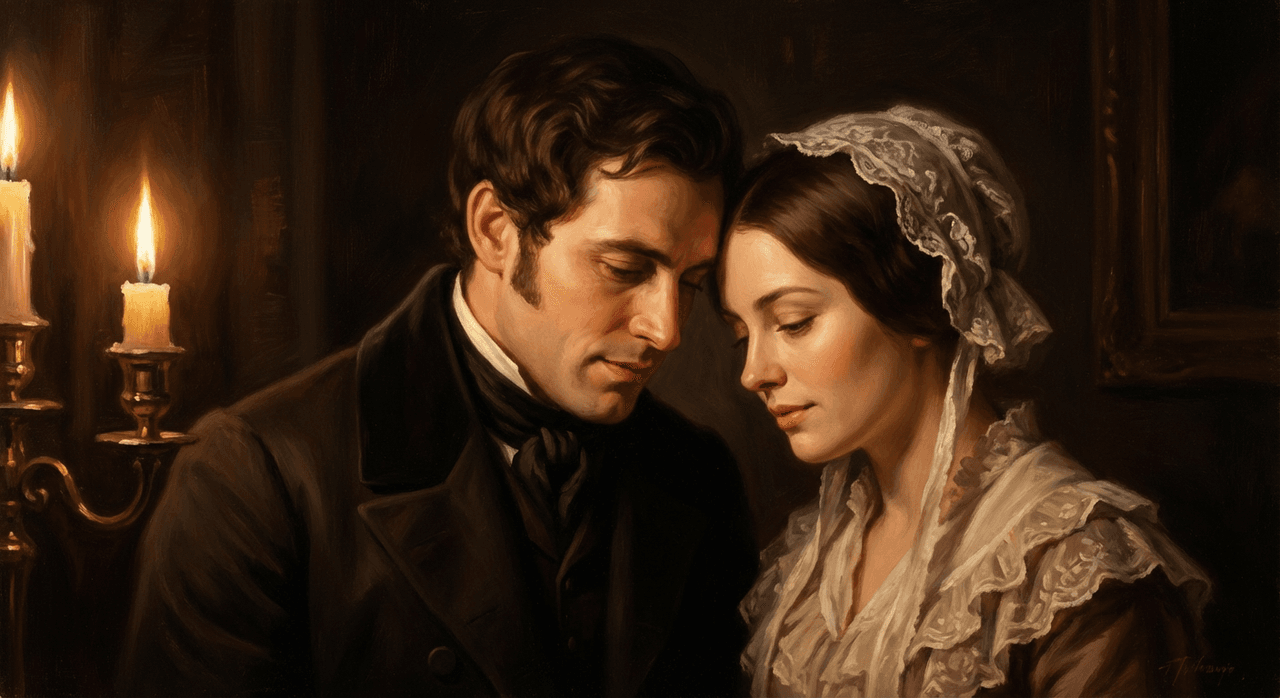
Key details we keep adding:
-
Medium: "oil painting," "watercolor," or "pastel illustration"
-
Lighting: "candlelight," "golden hour," "fireplace glow"
-
Surface/texture: "canvas texture," "grainy brush strokes"
Here's where it gets interesting… when we remove texture cues, Z-Image tends to slip back toward semi-photoreal citypop aesthetics. So for classic romance, we always anchor the medium and texture in the prompt. This approach aligns with traditional Romantic painting techniques that emphasized expressive brushwork and emotional intensity.
Modern Digital Love Art
Modern romantic visuals are cleaner, brighter, and more social-media ready. We lean on digital illustration techniques and 3D render wording when we want that polished look.
Example structure:
two women holding hands in a neon city, modern digital illustration, anime-inspired lighting, soft rim light, detailed hair, high saturation, cinematic composition
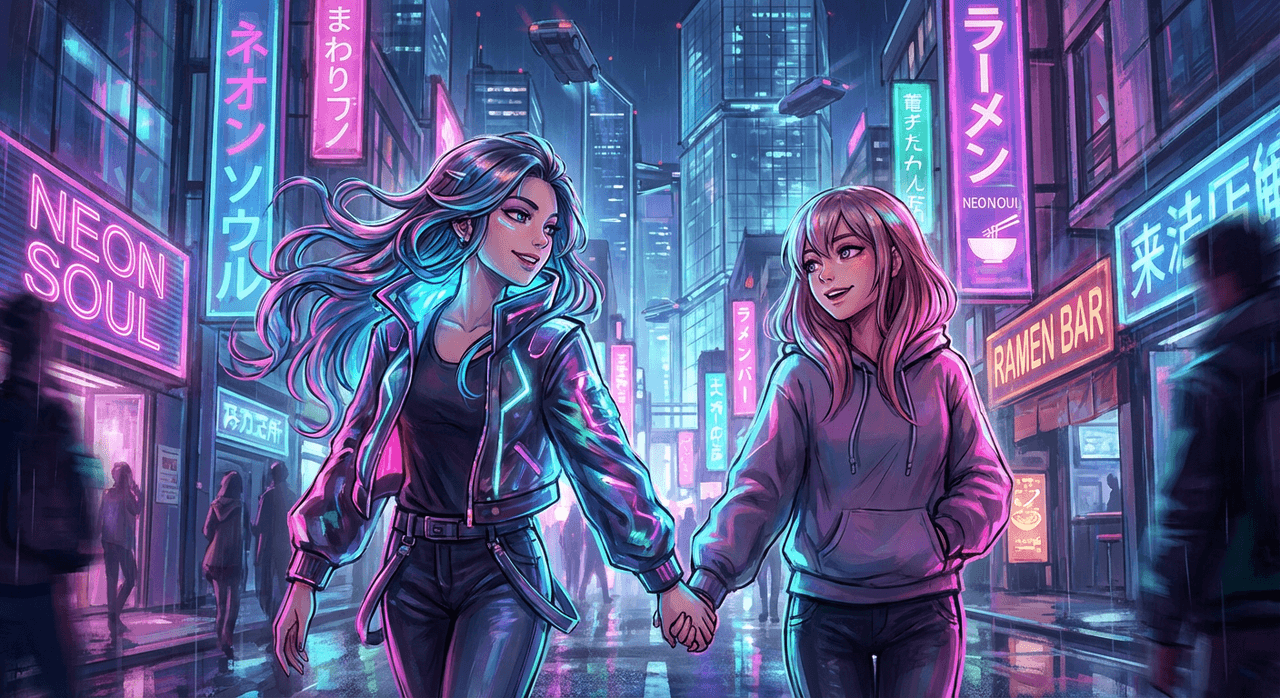
For social-forward campaigns, we've had success with:
-
"mobile wallpaper", "Instagram story ratio 9:16", or "YouTube thumbnail" to hint at layout
-
"bold outlines, flat shading" for poster-style art
If you're aiming for crisp, modern z image love wallpapers, adding specific device or platform context ("phone lock screen," "desktop background") helps the model center the subject and leave negative space for text. This approach follows modern digital illustration best practices for creating platform-optimized visuals.
Soft & Dreamy Aesthetic Options
Soft, dreamy romance is where Z-Image's atmospheric rendering really helps. We rely heavily on mood words and lens cues:
romantic couple under cherry blossoms, soft-focus lens, pastel color palette, light haze, dreamy bokeh, delicate petals floating in air
Elements that consistently gave us that dreamy vibe:
-
"soft-focus lens," "bokeh background," "light film grain"
-
"pastel pinks and lavender" instead of just "pastel colors"
-
"foggy morning," "misty evening," "sun flare"
When we push all three at once—soft lens, pastels, and subtle atmosphere—the model reliably shifts into a more cinematic, emotional space instead of generic stock-photo romance.
Before we move into detailed couple prompts, it's worth deciding your main lane: classic, modern, or dreamy. Locking that in early keeps your z image love prompts consistent across a whole campaign or carousel set.
Couple Art Prompts (Best Prompts for Couples & Pairs)
Couple art is where small prompt mistakes show the most—awkward hands, warped faces, mismatched outfits. We design prompts that spell out pose, relationship, and setting so Z-Image doesn't guess.
Generating Couple Portraits
For portraits, we focus on three anchors: framing, relationship, and vibe.
Prompt base we reuse:
intimate portrait of [couple type], waist-up, natural pose, soft smile, looking at each other, shallow depth of field, detailed skin, photorealistic, studio lighting
Then we replace [couple type] with specifics:
-
"interracial couple in their 30s"
-
"older couple with gray hair, casual clothes"
-
"newly engaged couple, showing engagement ring"
We've noticed that explicitly adding age range and relationship status ("newly married," "long-term partners") nudges expressions and body language into more believable territory.
Pose, Clothing & Interaction Prompts
Here's where it gets interesting… Z-Image handles pose logic much better when we anchor at least one physical action.
Examples that tested well:
-
"holding hands while walking through a city at night"
-
"sharing a blanket on a couch, watching a movie, warm lamp light"
-
"surprise proposal, one person kneeling, other covering mouth in shock"
We also call out clothing to control tone:
-
Casual: "cozy sweaters and jeans, indoor lighting"
-
Formal: "elegant evening dress and dark suit, ballroom lighting"
-
Themed: "retro 80s outfits, neon lights, film-style grain"
When we don't specify clothing, Z-Image often defaults to semi-formal, influencer-style fashion. That's fine for some brands, but if your audience expects diversity in body type, style, or culture, clothing details are part of that representation strategy.
Maintaining Character Consistency Across Images
For multi-image stories or carousels, character consistency is a common headache. With z image love stories, we reduce drift by:
-
Giving each person a short "character card" inside the prompt.
-
Reusing that exact description in every related image.
Example:
character A: tall Black woman with short curly hair, gold nose ring, soft brown eyes; character B: short East Asian man with glasses, undercut hairstyle, warm smile…
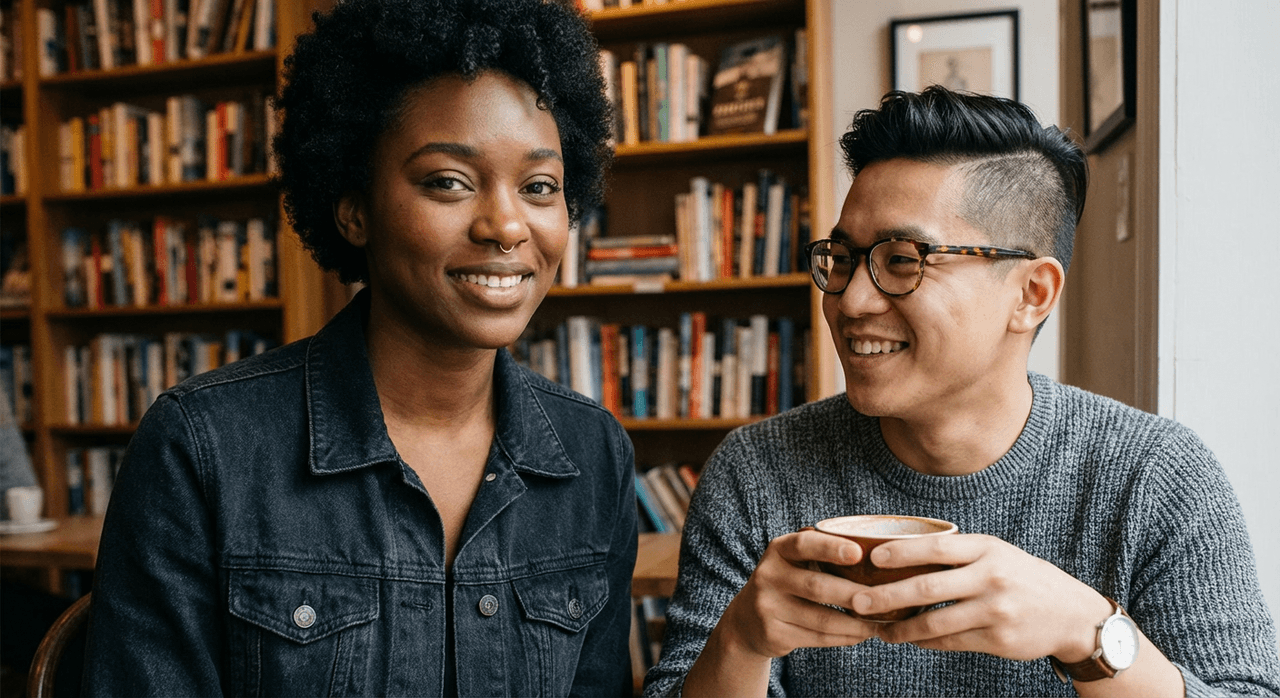
Then we plug this block into every prompt, only changing pose, outfit, or setting. We also:
-
Keep the same aspect ratio across the series.
-
Avoid drastic style changes mid-series (don't jump from 3D render to watercolor).
It's not perfect, but in our tests it keeps about 70–80% facial similarity from image to image, which is usually enough for social and campaign work.
Once our couple prompts feel stable, we layer in holiday and campaign context. That's where Valentine-themed z image love images start to pay off for real-world marketing workflows.
Valentine Themes (Z-Image AI Valentine Art Ideas)
Valentines add another dimension: symbols, colors, and text placements. We treat it like a design system instead of one-off art.
Valentine's Day Concepts & Icons
We've had consistent results by pairing a core concept with 1–2 clear icons.
Examples:
-
"long-distance couple on video call, floating heart icons on screen, soft blue and pink gradients"
-
"friends celebrating Galentine's Day, heart-shaped balloons, confetti, candid laughter"
If we overpack icons—hearts, roses, chocolates, rings, doves—the image turns noisy. Our rule of thumb is two major symbols per scene.
Gift & Card Style Visuals
For Valentine card designs, we prompt for layout from the start:
romantic valentines day card design, central couple illustration, clean background, large empty space at top for text, minimalist style, high resolution, white border
We also call out:
-
"front of greeting card" vs "social media post"
-
"hand-drawn typography style" if we'll add text in post
Z-Image can render short words, but for mission-critical text (names, offers, URLs), we still recommend leaving space and adding typography in a design app.
Seasonal Romantic Backgrounds
Background-only images are great when we need templates. Our z image love backgrounds focus on:
-
Location: "Paris street at dusk," "quiet café corner," "snowy park with fairy lights"
-
Seasonal cues: "autumn leaves," "spring cherry blossoms," "winter snowflakes"
-
Foreground clearance: "empty center space for couple silhouette," "blank area on right for promo text"
By designing the background around empty zones, we avoid clutter when we later composite couples, logos, or copy.
Valentine themes handle the context—now we refine the love symbols themselves: hearts, flowers, and the overall romantic mood that ties your visuals together.
Heart Aesthetics (Love Symbols & Romantic Elements)
Hearts and flowers can look cheap if we just say "lots of hearts." We steer Z-Image with material, scale, and placement.
Hearts, Flowers, & Decorative Motifs
We specify what the heart is made of:
-
"glossy red glass heart, soft reflections"
-
"paper-cut hearts hanging from strings"
-
"rose petals arranged in a heart shape on a white bedspread"
For flowers, "single red rose" gives a different mood than "wildflower bouquet in soft pastels." We treat these choices as emotional sliders: bold vs gentle, dramatic vs cozy.
Lighting & Color Palette for Romance
Here's where it gets interesting… changing lighting alone can flip the emotional reading. Understanding color psychology in design helps us make strategic choices.
-
Warm candlelight + deep reds → intimate, evening romance
-
Soft morning light + pastel pinks → gentle, hopeful, casual love
-
Cool blues + magenta accents → modern, nightlife, urban date energy
We bake lighting into almost every z image love prompt so the model doesn't default to flat daylight. Research shows that warm colors evoke passion and energy, while cool tones create calmness and trust. The emotional impact of color is significant in creating romantic visual experiences.
Combining Multiple Love Elements
When we combine elements, we pick one hero: either the couple, the heart motif, or the setting. The rest supports it.
Example:
couple silhouette in foreground, giant glowing heart-shaped neon sign behind them, rainy city street, reflections on wet pavement, cinematic framing
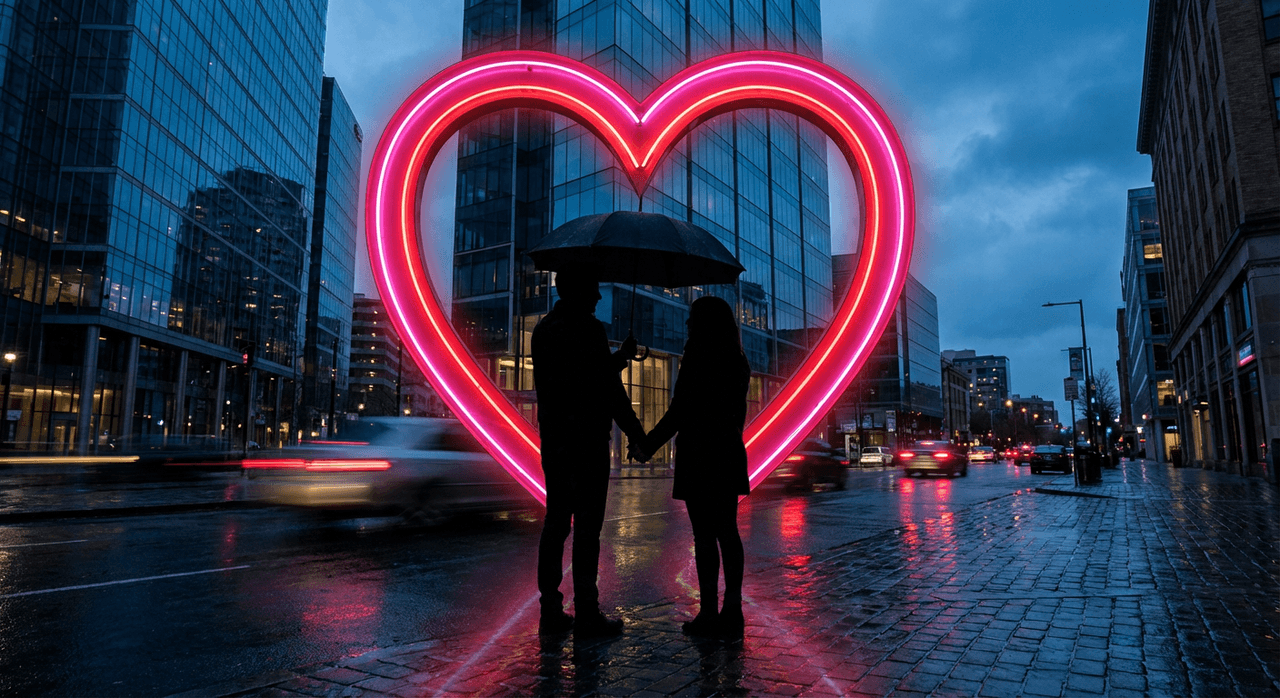
The couple is the focus—the heart and environment frame them. If everything shouts, nothing reads clearly, especially on mobile.
At this point, we've got cohesive, on-theme images. The final step in the workflow is distribution—formatting and sharing your z image love art where your audience actually sees it.
Share on Social (Publish Your Romantic AI Art Online)
We treat publishing as part of the design process, not an afterthought. Each platform has its own constraints, and understanding social media image sizes and aspect ratios is crucial for professional results.
Social Media Formatting Tips
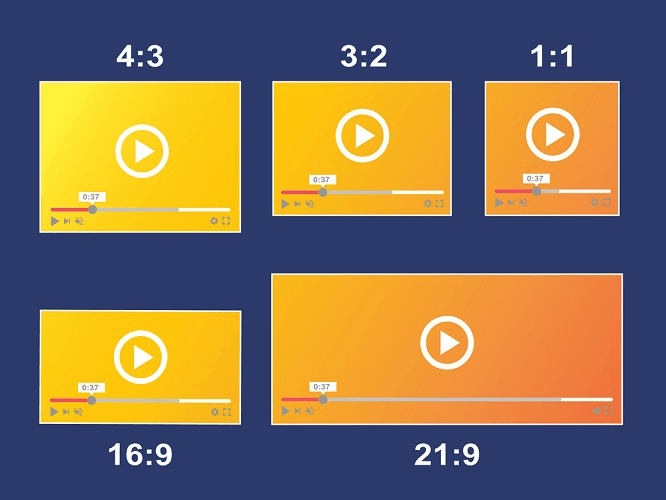
We start prompts with aspect ratio or crop hints, following current platform specifications:
-
square 1:1 instagram post
-
vertical 9:16 tiktok and reels format, subject centered
-
horizontal 16:9 youtube thumbnail, subject on right, empty space on left for title
When Z-Image knows the layout, it composes scenes that survive aggressive platform cropping. For detailed specifications, consult guides on optimal social media video dimensions and aspect ratio best practices.
Adding Captions & Hashtags
For romantic AI posts, captions do a lot of the emotional work. We pair visuals with:
-
A short story line (how the couple met, what the moment means)
-
3–5 focused hashtags instead of long clouds
For example: #zimagelove, #AIloveart, #coupleillustration, #valentinesdesign. Clean, specific tags help the right audience find you without looking spammy.
Engaging Your Audience with AI Love Art
Finally, we use the images as conversation starters. Some prompts we've used in captions:
-
"Which version of this couple scene feels most like you?"
-
"If this were a movie poster, what would the title be?"
It feels like having a professional layout designer built into the AI when the image, caption, and format all support one clear moment. That's when z image love workflows stop being experiments and start becoming a reliable part of your creative toolkit.
If you test new romantic prompts or run into odd edge cases—extra hands, strange accessories, or text glitches—sharing those results helps all of us refine better, more dependable workflows over time.